


How to Add Custom Music to Retro ROM Hacks
Adding custom music to retro ROM hacks involves replacing a game's original tracks with your own compositions or arrangements. This process requires specialized tools and a clear understanding of how retro consoles handle music data. Here's a quick summary of what you'll need to know:
-
Platforms and Tools:
- SNES: Use Lunar Magic for ROM editing and AddmusicK to insert music.
- GBA: Use Sappy for music insertion and a MIDI editor for composition.
- NDS: Use NSMBe for editing and inserting music.
- File Preparation: Organize files into folders for ROMs, tools, music, and backups. Always start with a clean ROM and test changes incrementally.
- Legal Considerations: Avoid copyright issues by using original compositions, public-domain tracks, or licensed music. Share patches instead of full ROMs.
- Testing and Hardware Limits: Test your ROMs in emulators and on actual hardware to ensure compatibility. Retro consoles have strict memory and channel limitations, so keep your arrangements simple.
- Physical Cartridges: Services like BJ's Game Vault can turn your finished ROM into a cartridge. Ensure your ROM is stable and properly formatted before sending it for production.
Adding custom music can transform your ROM hack, but it requires patience, testing, and attention to detail.
AddMusicK Tutorial - Adding Custom Songs to SMW Hacks!!
Tools and File Preparation You'll Need
Now that we've covered why custom music is so important, let's dive into the tools and file setup you'll need to bring your retro game music projects to life. Choosing the right tools and keeping your files organized is key to handling the constraints of retro hardware. Each platform - SNES, GBA, and NDS - requires its own specialized software. Properly setting up your tools and files from the start will save you headaches down the road, especially if you're planning to create physical cartridges.
Music Hacking Tools by Platform
Different retro consoles call for different tools, and picking the right ones for your platform is crucial. Here's a breakdown of tools for the SNES, GBA, and NDS:
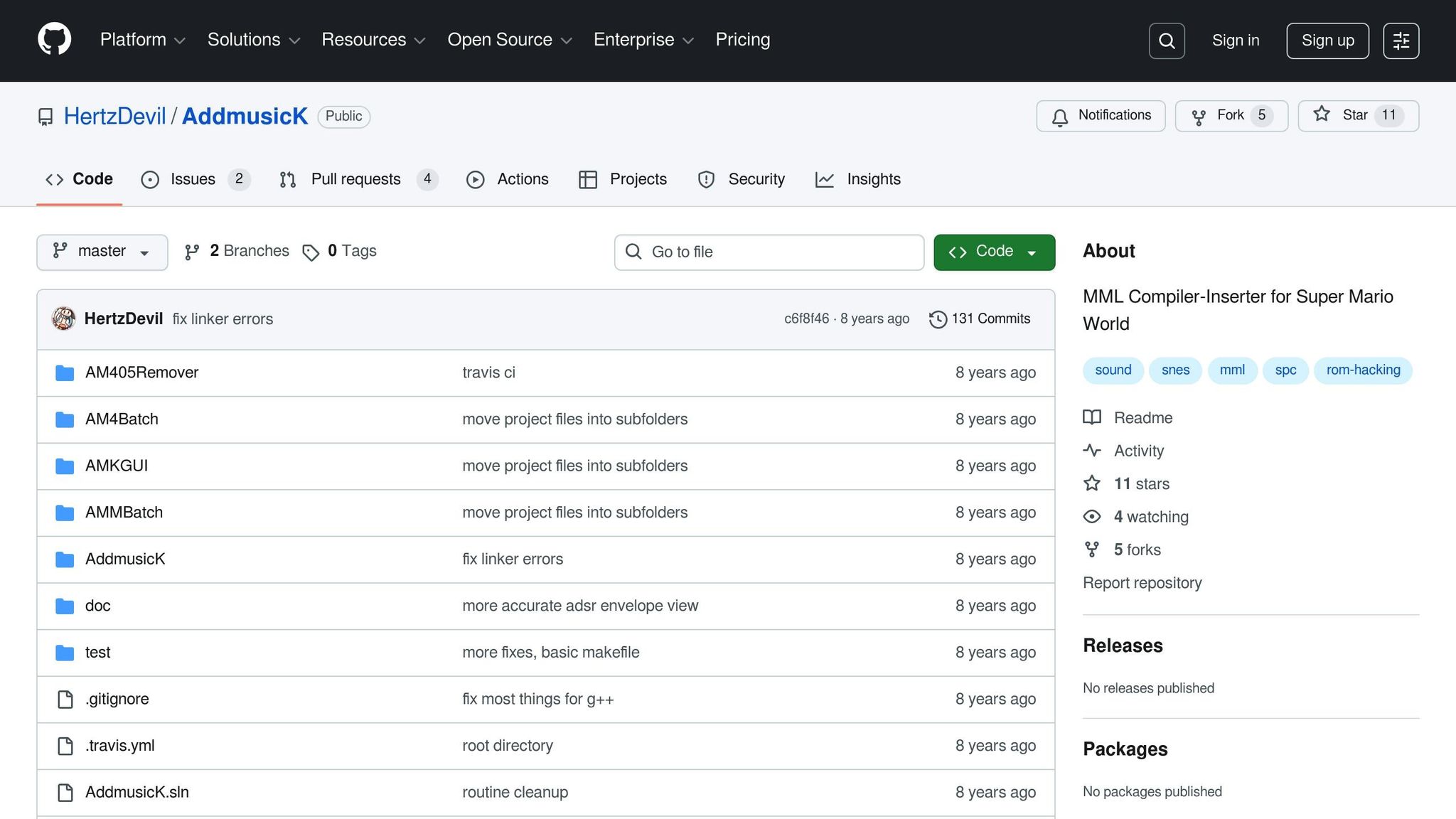
For SNES ROM hacks, especially Super Mario World projects, you'll need two main tools: Lunar Magic (version 3.0 or newer) and AddmusicK (version 1.08 is recommended). Lunar Magic prepares your ROM and handles level editing, while AddmusicK converts your custom music (written in text format) into the SNES SPC700 sound format and inserts it into the ROM. AddmusicK is a command-line tool, but if you prefer a simpler interface, you can use the GUI version, AMKGUI, which allows drag-and-drop functionality for text files.
The typical SNES music hacking process involves writing your music in a text editor using AddmusicK's syntax, saving it as a .txt file, and then running AddmusicK to compile the SPC data and insert it into your ROM. Lunar Magic is then used to assign the new music to specific levels or events. This workflow is well-documented in community guides and remains the go-to method for SMW hacks.
For GBA Pokémon ROM hacks, the essential tool is Sappy (2005 version), which manages music headers, voice groups, and song insertion. You'll also need a MIDI editor like Anvil Studio or OpenMPT to compose your tracks. The workflow involves composing your music in the MIDI editor, exporting it as a .mid or .s file, and using Sappy to compile and insert it into the ROM. Sappy also lets you assign instruments and voice groups to ensure the music plays correctly on GBA hardware.
For NDS ROM hacks, NSMBe (New Super Mario Bros. Editor) is a popular choice. It provides a user-friendly interface for inserting and editing music in games like New Super Mario Bros. and other NDS titles. With NSMBe, you can modify music sequences, instruments, and samples directly in the GUI. While it's more accessible than older command-line tools, you'll still need a solid understanding of the game's music format to use it effectively.
| Tool | Platform | Primary Function | File Format | Learning Curve |
|---|---|---|---|---|
| AddmusicK | SNES (SMW) | Music conversion and insertion | Text files → SPC | Moderate (CLI or GUI) |
| Lunar Magic | SNES (SMW) | ROM prep and level editing | ROM files | Moderate |
| Sappy | GBA | Music hacking and composition | MIDI/text-based | Steep |
| NSMBe | NDS | ROM editing, including music | ROM files | Moderate to Steep |
It's important to use the exact tool versions mentioned in tutorials, as even small version differences can cause unexpected issues. Always check the tool's documentation for setup instructions - for example, AddmusicK requires both the ROM and music files to be in the same folder.
How to Organize Files and Create Backups
Keeping your files organized is key to managing your project efficiently. Start by creating a dedicated folder for each ROM hack (e.g., "MySuperMarioHack") and set up subfolders like "ROMs", "Music", "Tools", "Backups", and "Final."
- "ROMs": Store your working ROM here.
- "Music": Keep all your text files, MIDI files, and SPCs organized by game or level (e.g., "Music/Overworld" or "Music/Boss").
- "Tools": Place all your hacking tools - like Lunar Magic, AddmusicK, Sappy, etc. - here.
- "Backups": Store a clean, unmodified ROM and any backup copies here.
- "Final": Save the final, completed ROM for cartridge production or distribution.
Use consistent naming conventions like song_of_storms.txt or level1_music.mid, avoiding spaces or special characters in filenames. This makes it easier to locate files and prevents errors during compilation.
Backing up your work is non-negotiable. Always keep an untouched copy of your ROM in the "Backups" folder and never edit it directly. Before making major changes, create a new backup with a clear name and timestamp, such as SuperMarioHack_v1.0_music_inserted_2025-12-09.smc. Use version numbers (v1.0, v1.1, etc.) and consider compressing backups into ZIP files to save space. For disassembly projects, consider using version control software like Git to track changes to your code and music files. This way, if something goes wrong, you can quickly restore a working version without losing progress.
Common mistakes to avoid:
- Using a bad or unheadered ROM dump. Always verify your ROM with a checksum tool to ensure it's a good dump.
- Placing tools and ROMs in separate folders, which can cause path errors.
- Overwriting your original ROM instead of working on a copy.
- Using mismatched music formats, like trying to use a GBA MIDI file in an SNES tool. Always stick to the correct toolchain for your platform.
Preparing ROMs for Custom Cartridges
Once your ROM hack is finished and all custom music is added, you might want to play it on actual hardware. Custom cartridge services like BJ's Game Vault (https://bjsgamevault.com) can help with this. To prepare your ROM, ensure you're working with a clean, properly formatted file - like a .smc for SNES or a .gba for GBA. After completing your edits, thoroughly test the ROM in an emulator to confirm stability and ensure all music plays correctly.
When you're ready, send the final ROM file to the cartridge service. Be sure to follow their specific file format and naming guidelines. It's also a good idea to keep your own backup of the final ROM in case you need to reorder cartridges in the future.
For example:
- A Super Mario World SNES hack setup might include a clean SMW ROM (
Super Mario World (U).smc), Lunar Magic 3.0+, AddmusicK 1.08, and a folder with text files likesong_of_storms.txtand any custom BRR samples. - A Pokémon FireRed GBA hack setup would include a clean FireRed ROM (
Pokemon FireRed (U).gba), Sappy 2005, and a music folder with MIDI and Sappy project files. The music would be composed in a MIDI editor, then imported and compiled in Sappy, with the final ROM tested in an emulator before being sent for cartridge production.
Step-by-Step: Adding Custom Music to Your ROM Hack
Now that your tools and files are ready, it’s time to dive into adding custom music to your ROM hack. The process varies depending on the platform you're working with since each console has its own quirks and requirements. Here’s how to handle it for SNES and GBA Pokémon hacks.
Adding Music to SNES ROM Hacks
For SNES ROM hacks, the process often revolves around Super Mario World and the AddmusicK tool. This method, refined by the community over the years, is the go-to approach. Once your tools and files are set up, follow these steps to insert your custom tracks:
-
Step 1: Prepare your ROM and tools. Locate AddmusicK 1.08 in your "Tools" folder and place your clean
.smcROM in the same folder. -
Step 2: Get your music file ready. AddmusicK uses
.txtmusic files. You can either write your own using Music Macro Language (MML) syntax or download pre-made songs from the community. Save the file in the "music" subfolder within AddmusicK and give it a clear name, likeoverworld_theme.txt. -
Step 3: Check your file’s header and note data. Open the
.txtfile in a text editor and ensure it has a proper header defining the song number and channels. For example:
Here,#0 t120 v200 @30 o4 c8 d8 e8tsets tempo,vadjusts volume,@selects an instrument,osets octave, and the letters represent notes. -
Step 4: Run AddmusicK. Use the CLI by navigating to the AddmusicK folder and running:
AddmusicK.exe YourROM.smc
If you prefer the GUI version, simply drag and drop your ROM file onto the interface. The tool will compile the.txtfiles into SPC700 format and insert them into your ROM. Check the log for any errors. - Step 5: Assign the music in Lunar Magic. Open your ROM in Lunar Magic (version 3.0 or newer), go to the level where you want the custom music, press F5, and select your song from the "Music" dropdown menu. Save the level and test it in an emulator like SNES9x or bsnes.
-
Step 6: Test and tweak. Play the level and listen carefully for any glitches, incorrect instruments, or timing issues. If needed, adjust the
.txtfile (e.g., tempo or instrument settings) and re-run AddmusicK.
A common issue is with echo or reverb settings. AddmusicK supports echo commands (e.g., $E0 for echo volume). If the music sounds muddy, lower the echo values. If it feels too dry, increase them slightly.
Adding Music to GBA Pokémon ROM Hacks
For GBA Pokémon ROM hacks, the process starts with composing your track in a MIDI editor like Anvil Studio or OpenMPT. Since GBA hardware supports up to 12 channels - though Pokémon games typically use 8 to 10 - keep your compositions simple and use General MIDI instruments. Once your MIDI file is ready, follow these steps:
-
Step 1: Import your MIDI file into Sappy. Save your MIDI file (e.g.,
route_theme.mid) in your "Music" folder. Open Sappy 2005, load your Pokémon ROM, and click Song → Import MIDI. Select your file, and Sappy will prompt you to assign a voice group. Choose one that fits your song’s style, or use the same voice group as the song you're replacing. - Step 2: Adjust instruments. After importing, Sappy converts your MIDI into the GBA’s native format. Instruments might not sound right at first. Select your new song, click Voice Group, and remap each MIDI instrument to a GBA sample. For example, map a piano in the MIDI file to a GBA piano sample.
- Step 3: Assign the song to a map or event. Use a tool like Advance Map to assign your song. Load your ROM, select the relevant map, and update the "Music" field in the header with your song’s index number (as shown in Sappy).
- Step 4: Test your ROM. Save the ROM and test it in an emulator like VisualBoyAdvance or mGBA. Go to the map where the music was assigned and listen for problems like improper looping, missing instruments, or volume issues. If the song doesn’t loop correctly, add a loop point marker in your MIDI file and re-import it into Sappy.
sbb-itb-9a4764e
Troubleshooting and Performance Tips
Even seasoned ROM hackers can encounter issues when adding custom music. Most problems tend to follow familiar patterns, and once you identify the root cause, they’re usually straightforward to fix. Understanding these common pitfalls can save you time and prevent headaches down the road.
Common Errors and How to Fix Them
One of the most frequent issues with AddmusicK on SNES is encountering an insertion error or a ROM that refuses to boot after adding music. This often boils down to formatting errors in your .txt music files. Mistakes like invalid commands, out-of-range values, or missing syntax elements can cause AddmusicK to fail during compilation. To resolve this, carefully review your .txt file in a text editor and ensure commands like t120, v200, and @30 use valid values.
Another common problem arises from using the wrong ROM version. AddmusicK is optimized for a clean US v1.0 Super Mario World ROM. If your ROM has already been edited or if you’re using a different regional version, AddmusicK might not locate the correct memory addresses for inserting music. Always start with a verified clean ROM before adding music, and save other edits for later.
For GBA Pokémon hacks, the dreaded "no music" issue usually stems from invalid song headers or mismatched voicegroups. If your game goes silent or crashes when entering a map, double-check the song header in Sappy to ensure it points to valid data and uses a compatible voicegroup. Verify the voicegroup assignment and confirm that each MIDI instrument corresponds to an actual GBA sample.
Audio glitches, such as instruments cutting out, loops restarting incorrectly, or distorted sound, often occur when you exceed the available channels or set loop markers improperly. On SNES, the SPC700 hardware supports only 8 channels. While AddmusicK allows up to 255 songs, each arrangement must adhere to the 8-channel limit to avoid dropped notes. Simplify your arrangements by reducing overlapping parts or merging similar instruments onto a single channel.
For GBA hacks, looping issues can arise if your MIDI file lacks a loop point marker. Add the marker in your MIDI editor at the measure where you want the song to restart, then re-import the file into Sappy.
When working on Sega Genesis hacks, remember that the YM2612 chip provides 6 FM channels (one typically reserved for DAC drums) and 4 PSG channels for square waves and noise. Mismanaging DAC drums can lead to system hangs or erratic behavior. Consult the Genesis driver documentation before tweaking hex values to avoid subtle timing errors.
Working Within Retro Hardware Limits
Retro consoles come with inherent limitations, especially when it comes to audio resources. Understanding these constraints is crucial for troubleshooting and composing effectively.
For SNES hacks, you’ll need to manage arrangements carefully to fit within the 8 available channels. Consolidate similar parts or remove less essential background elements to stay within the hardware’s limits.
On GBA, the hardware supports up to 12 simultaneous voices, but the two DirectSound channels can be CPU-intensive. Long stereo samples or heavy percussion may cause slowdown on physical hardware, even if they perform fine in emulators. Opt for shorter looped samples and simpler drum arrangements. If you’re using sampled instruments, keep file sizes small and avoid unnecessarily high sample rates to conserve ROM space.
Genesis music hacking involves balancing FM synthesis, PSG channels, and DAC drums. With roughly 8 to 9 usable channels depending on DAC allocation, avoid crowding the same frequency range with multiple FM instruments. Use PSG channels for simpler melodies or sound effects, reserving FM channels for richer and more complex tones.
Memory usage is another critical factor, particularly if you’re planning to create physical cartridges. Each new music track increases the ROM size, and you need to stay within the limits of your target cartridge format. For SNES, reproduction cartridges typically max out at 4 MB, while GBA carts are often limited to 16 MB or 32 MB. Monitor your ROM’s size as you add music and remove any unused data if you’re nearing the limit. Always test your changes on actual hardware or a flashcart, as emulators might not reveal real-world performance issues.
Testing on real hardware is essential before committing to physical cartridges. Timing and audio behavior can differ significantly from emulators. Custom cartridge sellers, like BJ's Game Vault (https://bjsgamevault.com), emphasize that ROMs must be stable and thoroughly tested before being burned to physical media. Issues such as stuttering, missing audio channels, or driver errors may only surface on actual consoles or specific flashcarts.
Managing Long-Term ROM Hack Projects
As your ROM hack grows more complex, organization and consistent backups become indispensable. Without a clear system in place, it’s easy to lose track of files, overwrite working songs, or forget which ROM version is stable.
Start by creating a music index file - something as simple as a text document (music_log.txt) can make a big difference. List every song in your project along with details like the song ID, track name, original composer or source, required samples or voicegroups, and the in-game locations where the song is used. For example:
- "Song 01 – Overworld Theme, Voicegroup 3, Maps: Route 1 & 2"
This log helps you avoid conflicts and accidental overwrites. Update it each time you add a new song, and share it with collaborators if you’re working as a team.
Consider using version control to safeguard your progress. If you’re familiar with Git, set up a repository for your ROM hack and commit changes regularly. Alternatively, maintain dated backups with clear version numbers, such as hack_12-09-2025_v0.4.sfc or pokehack_12-09-2025_beta3.gba. This way, you can easily revert to a previous version if a new addition causes issues.
Add and test one new song at a time. While it might be tempting to insert multiple tracks at once, focusing on one change at a time makes it easier to pinpoint and fix any errors. Once a song is verified in an emulator, move on to the next.
Before releasing your ROM hack or preparing it for a physical cartridge, create a polished "release build." Remove experimental tracks, debug code, and placeholder assets. Test this build thoroughly on multiple emulators - such as SNES9x and bsnes for SNES, or VisualBoyAdvance and mGBA for GBA - and, if possible, on the target hardware. Play through every section where custom music is used to ensure everything functions as intended.
Modern ROM hacking communities like SMW Central, PokeCommunity, and Sonic Retro have embraced toolchains that separate code and assets, storing music as text or MIDI files compiled into the ROM. This approach simplifies version control and bug tracking, making it easier to manage your project as it grows.
If you plan to distribute your ROM hack on physical cartridges, document everything. Keep a record of the tool versions, steps, and custom patches you used. This documentation will be invaluable if you need to fix a bug or produce additional cartridges in the future.
Conclusion: Bringing Your ROM Hack to Life with Custom Music
Adding custom music to your retro ROM hack can transform it into a deeply personal and creative masterpiece. This guide has walked you through the essential steps for different platforms, such as using AddmusicK for SNES hacks and Sappy for GBA Pokémon projects. The process boils down to a few key principles: understand the hardware you're working with, use the right tools, and test thoroughly at every step.
A critical tip to keep in mind: start with a clean ROM and take things one step at a time. Always back up your files before making changes, and introduce new tracks incrementally. This way, you can quickly identify and resolve any issues. Hardware limitations mean that thorough testing is essential - not just in emulators but also on actual consoles - to avoid audio glitches, crashes, or performance hiccups. Mastering this technical groundwork allows custom music to truly enhance the gaming experience.
Music has the power to redefine the atmosphere of a ROM hack. A thoughtfully selected soundtrack can breathe new life into familiar levels, evoke fresh emotions, and reinforce the mood you want to create. Whether you're crafting original chiptunes, reimagining your favorite songs, or using public-domain melodies, the tracks you choose become an integral part of your hack's personality.
As your project evolves, stay organized. Maintain clear version control with labeled backups - something like hack_12-09-2025_v0.4.sfc works well. Before releasing your hack or preparing it for physical distribution, finalize a polished build by removing experimental tracks and testing across multiple emulators to ensure stability.
When it comes to U.S. copyright law, tread carefully. Both game code and music are protected, so the safest route is to create original compositions, use properly licensed tracks, or rely on public-domain music. Additionally, share patch files instead of full ROMs to avoid legal complications.
If you want to showcase your ROM hack on real hardware, consider testing it on flashcarts or reproduction cartridges to confirm it performs as expected. Services like BJ's Game Vault (https://bjsgamevault.com) can take your digital ROM hack and turn it into a professionally crafted physical cartridge for consoles like the NES, SNES, Sega Genesis, N64, and GBA. This ensures compatibility and delivers a polished, professional product for physical releases.
With your technical skills, organization, and legal considerations in place, the path forward is clear: practice, experiment, and connect with the community. Start with simple music swaps to build confidence before diving into more complex compositions. Communities like SMW Central, PokeCommunity, and Sonic Retro are fantastic places to learn, share resources, and get feedback from experienced hackers. Most importantly, enjoy the process - adding custom music is one of the most satisfying parts of ROM hacking, and every track you add brings your unique vision closer to life.
FAQs
What challenges might arise when adding custom music to ROM hacks, and how can you solve them?
Adding custom music to ROM hacks isn't always a walk in the park. The original game's sound engine can impose limits, file size restrictions might trip you up, and some tools just don't play nice with certain ROMs. It’s a process that often demands a mix of patience, planning, and trial-and-error.
To navigate these hurdles, start with dependable tools like music insertion programs or MIDI converters tailored to your ROM type. Regularly test your custom tracks to make sure they sound right in the game. It’s also worth diving into the basics of music file formatting and understanding how retro games handle sound data. This knowledge can be a lifesaver when troubleshooting those inevitable hiccups.
How can I make sure my custom music works properly on retro gaming consoles?
To make sure your custom music works seamlessly with retro console hardware, you’ll need to account for the system’s technical constraints. These can include limited memory, a small number of sound channels, and restricted processing power. Retro consoles are not forgiving when it comes to exceeding these limits, so optimizing your music files is a must.
Leverage tools built specifically for retro game music creation, such as trackers or ROM hacking utilities, to format and refine your tracks. Always test your music on emulators and - if you can - on the actual hardware to catch any glitches or performance issues early. For more guidance and useful tools, check out BJ's Game Vault, a great resource for retro gaming and custom game development.
What should I know about using music legally in my ROM hack?
When incorporating music into your ROM hack, it's essential to ensure you have the rights or proper licenses to use it. Using copyrighted music without permission can lead to serious legal complications, including copyright infringement.
To avoid these issues, opt for royalty-free music or tracks explicitly licensed for creative projects. If the terms require it, make sure to credit the original creators. Doing so not only keeps you on the right side of the law but also acknowledges and supports the artists who created the music.