


5 Tools for Creating Custom Characters in ROM Hacks
Want to add your own characters to classic games? ROM hacking tools make this possible by letting you edit graphics, animations, and palettes directly in the game's ROM file. Whether you're redesigning sprites or creating entirely new characters, these tools simplify the process by providing user-friendly interfaces and real-time testing options. Here’s a quick rundown of five tools that can help you get started:
- YY-CHR: A detailed tile editor for NES, SNES, and GBA games, perfect for pixel-level sprite editing and palette management.
- Tile Layer Pro: A straightforward tool for editing tiles in NES, SNES, Genesis, and Game Boy ROMs.
- YY-VBA Workflow: Combines tile editing with real-time testing using a GBA emulator like VisualBoyAdvance.
- HackROM Tools: An experimental utility for character creation, offering flexibility for retro projects.
- Advance Sprite Editor: Focused on sprite editing and animations, though documentation is limited.
These tools allow you to modify classic games with custom characters, animations, and designs, turning your ROM hack into something truly personal. Whether you're a beginner or experienced, these tools make the process accessible and fun.
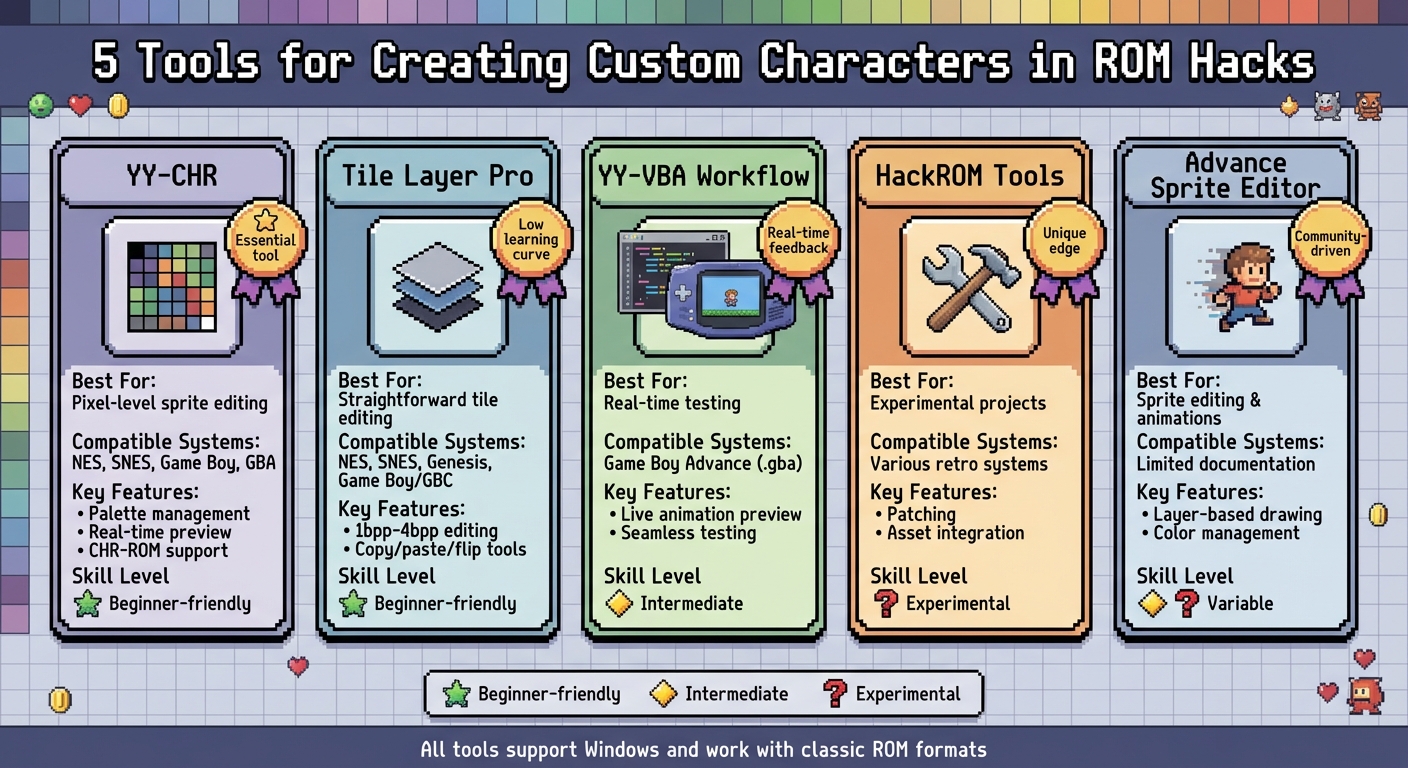
5 ROM Hacking Tools for Custom Character Creation Comparison Chart
1. YY-CHR
YY-CHR is a free tile and sprite editor for Windows, widely regarded as an essential tool in the ROM hacking community. It’s designed to work with tile-based graphics from retro consoles like the NES, SNES, Game Boy, and GBA, allowing users to edit graphics at a highly detailed level.
Here’s a closer look at what makes YY-CHR a go-to tool for sprite editing.
Sprite Editing Capabilities
YY-CHR comes equipped with a variety of tools to redraw or create custom character sprites. These include a pencil, line tool, rectangle, fill bucket, copy/paste, flip, mirror, and grid display options - everything you need to tweak character proportions or align animation frames. The tool’s pixel-level editing and palette management ensure that your designs stay within the hardware limitations of the original system. Plus, real-time previews let you see exactly how your edits will appear in-game, saving time and eliminating guesswork.
For NES games, the editor is particularly useful. It supports precise pixel editing with palette management that adheres to the system’s restrictions, such as using up to 4 colors per tile from a 56-color palette. You can even add dithering effects for smoother gradients or use layers to piece together multi-tile sprites like characters or enemies. Many hackers use YY-CHR to reimagine classic sprites, like redesigning Mario’s walking or jumping animations in Super Mario Bros. hacks.
Compatibility with ROM Formats
YY-CHR is primarily designed for NES ROM formats (.NES files) and supports direct CHR-ROM extraction and insertion. It follows iNES header standards, accommodating up to 1MB of PRG-ROM and 1MB of CHR-ROM, and works with mappers like MMC3 for expanded sprite banks. While it’s not as intuitive for SNES or GBA games without additional conversion tools, you can adapt exported tiles using utilities like YY-VBA for GBA hacks. The editor can load graphics directly from a ROM, external CHR/tileset files, or decompressed graphics dumps, and then save your changes back into the ROM.
Simplified Character Implementation
YY-CHR makes integrating your edited characters into a game surprisingly simple. The process typically involves extracting CHR data from the ROM, editing it in YY-CHR, reinserting it with a hex editor or game-specific tool, and testing it in an emulator. Features like drag-and-drop palette swapping and batch exporting to .CHR files make it easy to work with assemblers like ASM6 or other editors like Tile Layer Pro. For multi-frame animations, such as walk cycles or attack sequences, you can arrange tiles side by side and edit them simultaneously to ensure consistency in proportions and shading.
Thanks to its straightforward interface and no-install setup, YY-CHR is often recommended for beginners. It’s a Windows-native tool with a low learning curve, making it an accessible starting point for anyone diving into ROM hacking.
2. Tile Layer Pro
Tile Layer Pro is a Windows-based tool designed for editing tiles and sprites in classic ROMs like NES and SNES. With its straightforward interface and low system requirements, it’s perfect for tweaking character graphics and giving classic games a fresh look. Let’s dive into its sprite editing features and compatibility.
Sprite Editing Capabilities
Tile Layer Pro allows you to edit pixels in various bit depths (from 1bpp to 4bpp), aligning with the formats used by 8-bit and 16-bit consoles. This makes it an excellent choice for working on character sprites in NES, SNES, Genesis/Mega Drive, and Game Boy/Game Boy Color games. The tool includes handy functions like copy, paste, flip, and shift, which speed up the process of creating multiple character poses. Additionally, its palette viewer helps you match in-game colors while staying within the hardware’s original color limitations - a critical step when replacing or redesigning characters or NPCs.
Compatibility with ROM Formats
Tile Layer Pro is particularly effective with ROMs that store graphics in simple, linear tile formats. It can open generic binary ROM files, such as .nes, .smc, .sfc, .bin, .gb, and .gbc, and interpret their graphic data as tiles. By adjusting settings like tile dimensions and bitplane interpretation, you can align the tool with a game’s internal layout - for example, using 8x8 tiles in 4bpp mode for many SNES games. This ensures that your redesigned graphics blend seamlessly with the original game’s style. However, for systems with compressed or proprietary graphics formats, Tile Layer Pro might not be the best choice, and more specialized tools may be required.
Streamlined Character Implementation
Editing and implementing characters with Tile Layer Pro is a smooth process, fitting neatly into most ROM hacking workflows. Open your ROM in the tool, locate the character tiles, and redesign them in a pixel art program while preserving the original resolution and palette. Once the new designs are ready, paste them back into the ROM, then test the changes in an emulator to ensure they display correctly in all game scenes. This method helps maintain consistency and visual quality across the game. Retro gaming communities, such as BJ's Game Vault, often highlight ROM hacks that use this workflow to breathe new life into classic character designs.
3. YY-VBA
"YY-VBA" describes a workflow popular among ROM hackers that combines the precision of dedicated tile editors like YY-CHR with the real-time testing capabilities of Game Boy Advance emulators such as VisualBoyAdvance (VBA). It's not a standalone tool but rather a method that allows developers to refine custom character designs by switching between editing sprites and testing them in an emulator. Here's how this workflow enhances sprite editing, compatibility, and animation previews.
Sprite Editing and Character Implementation
Using a dedicated tile editor, developers can modify sprites, manage color palettes, and arrange tiles into cohesive sprite sheets. This process is essential for creating custom graphics and multi-frame animations, like walking or battle sequences, in ROM hacks. By alternating between the editor and the emulator, developers can test and refine their designs seamlessly. This back-and-forth ensures that custom characters are smoothly integrated into the game.
Compatibility with ROM Formats
This workflow is tailored for Game Boy Advance ROM hacks, specifically working with the .gba file format. By preparing sprite assets in a tile editor and testing them in a VBA emulator, developers can verify that their customizations align with the GBA's graphics capabilities. This ensures that the modified assets run smoothly on actual hardware or emulators.
Real-Time Animation Preview
Although no single tool offers live animation editing, the use of a GBA emulator in this workflow provides real-time animation previews. Developers can test how their custom character animations look and move directly within the game. This immediate feedback is invaluable for spotting and fixing timing or movement issues early, helping to create smoother and more polished animations for gameplay.
sbb-itb-9a4764e
4. HackROM Tools
HackROM Tools is a utility designed for crafting custom characters in ROM hacks. While its documentation on editing features and file compatibility is sparse, it invites users to explore its capabilities firsthand. This tool serves as an experimental option for retro gaming projects, standing alongside more established tools like YY-CHR for precision editing, Tile Layer Pro for ease of use, and YY-VBA for seamless real-time testing. If you're looking to try something different, HackROM Tools might just add a unique edge to your character creation process.
5. Advance Sprite Editor
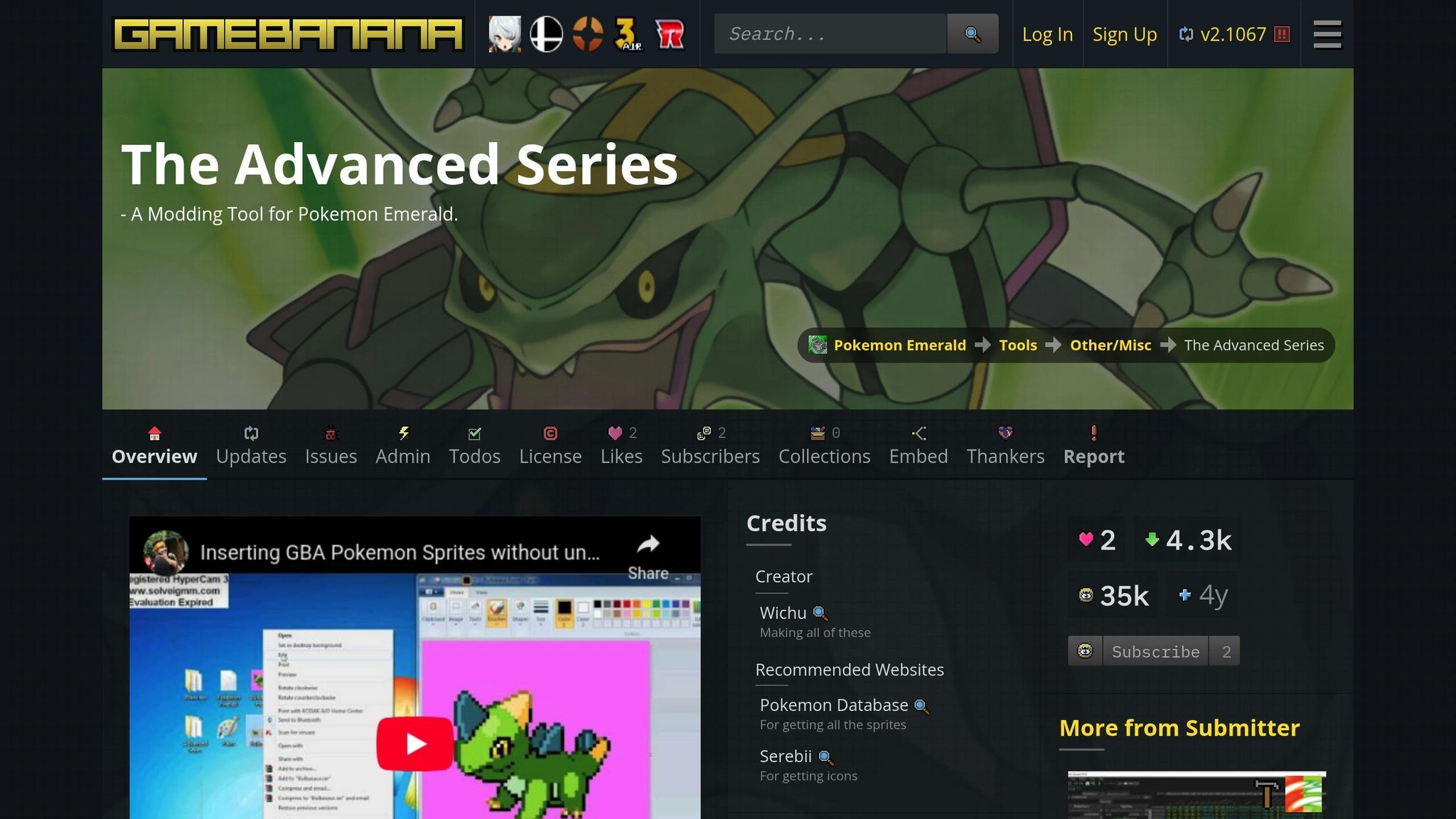
Advance Sprite Editor offers another option for ROM hacking enthusiasts, though it comes with limited available documentation. This tool focuses on sprite editing and animation, providing a user-friendly interface that allows for precise pixel-level adjustments and easy ROM export.
While some users have praised features like layer-based drawing, advanced color management, and real-time animation previews, these claims haven't been widely verified. It's worth noting that much of what is known about the tool comes from user experiences shared in forums and community discussions.
For anyone considering Advance Sprite Editor, diving into community feedback and testing it firsthand can help determine if it fits the requirements for custom character or sprite projects. Engaging with the ROM hacking community can also provide additional insights into its capabilities and limitations.
Conclusion
Creating custom characters in ROM hacks has become much simpler, thanks to tools that eliminate the need for deep assembly knowledge or tedious hex editing. These programs streamline the entire process - from designing sprites to integrating them into gameplay - across popular retro systems. Tools like YY-VBA allow you to test your work directly within an emulator, catching visual glitches in real time instead of wasting hours on guesswork. Meanwhile, HackROM Tools simplifies patching and asset integration, and Advance Sprite Editor makes managing and inserting sprites into specific titles much easier.
Whether you're doing simple recolors or crafting original animations, this toolset cuts down on trial-and-error and speeds up the creative process. You can start small, experimenting with tile editors, then move on to emulator previews, and eventually weave your characters into full gameplay and dialogue systems. At its core, ROM hacking is about expressing creativity and fandom - bringing to life new heroes, villains, and worlds inspired by the games you love. These tools remove many of the technical barriers, letting you focus on your vision. With smoother workflows, your project can evolve from digital edits to a polished gaming experience.
If you want to take your ROM hack to the next level, consider turning it into physical media. BJ's Game Vault offers custom cartridge creation for systems like NES, SNES, Sega Genesis, N64, and GBA. Send them your finalized ROM, and they’ll flash it onto compatible hardware, test it on U.S. consoles, and deliver a working cartridge. Imagine playing your fan-made characters on original hardware or sharing them as collectible, shelf-ready pieces of retro gaming history.
In addition to custom cartridges, BJ's Game Vault provides rare ROM hacks, reproduction titles, and retro accessories to inspire or enhance your projects. From controllers to memory cards and display items, their catalog is a treasure trove for retro enthusiasts. For U.S. fans, this combination of digital tools and physical products creates a complete ecosystem: design your characters on your computer, test them via emulation, and enjoy them as part of a tangible collection. It’s a perfect way to bring your creative vision to life, both on-screen and in your hands.
FAQs
What is a good tool for beginners to create custom characters in ROM hacks?
For those just starting out, Lunar Magic is an excellent tool to dive into. With its easy-to-navigate interface and a treasure trove of tutorials, it simplifies the process of designing and adding custom characters to ROM hacks. Its beginner-friendly setup ensures that even newcomers can quickly grasp the essentials of character creation.
How can I test my custom characters while creating a ROM hack?
To test your custom characters while working on ROM hacking, try using emulators equipped with real-time debugging tools, such as Lunar Magic or BizHawk. These tools let you immediately see your designs in action and make adjustments on the spot, ensuring they work seamlessly within the game.
Can these tools be used to create custom characters for systems other than NES, SNES, and GBA?
Yes, plenty of these tools are built to work with other systems, including the N64 and various retro platforms. However, their compatibility varies based on the tool and its features. To avoid any issues, it's a good idea to review the tool's documentation or specifications to confirm it supports the system you're aiming to use.