


Top 5 Tools for Palette Editing in ROM Hacks
Palette editing is key for customizing the visuals in retro games. Whether you're tweaking colors for accessibility, creating alternate character designs, or fixing bugs in classic titles, the right tools make the process easier and more efficient. Here’s a quick look at five of the best tools for editing palettes in ROM hacks:
- Aseprite: Ideal for pixel art and indexed color editing, with features like palette swapping and precise color adjustments.
- YYCHR: Simplifies editing by loading palettes directly from save-states, perfect for NES and SNES projects.
- Tile Layer Pro: A tile editor with robust palette management and export/import options for multiple retro systems.
- Tile Molester: A cross-platform tool for editing graphics and palettes in a wide range of formats.
- HexManiacAdvance: Tailored for GBA Pokémon hacks, combining palette editing with advanced hex editing and PNG workflows.
Each tool caters to different systems and workflows, from beginner-friendly interfaces to advanced features for experienced hackers. Below, we’ll explore how these tools work, their supported platforms, and the types of projects they’re best suited for.
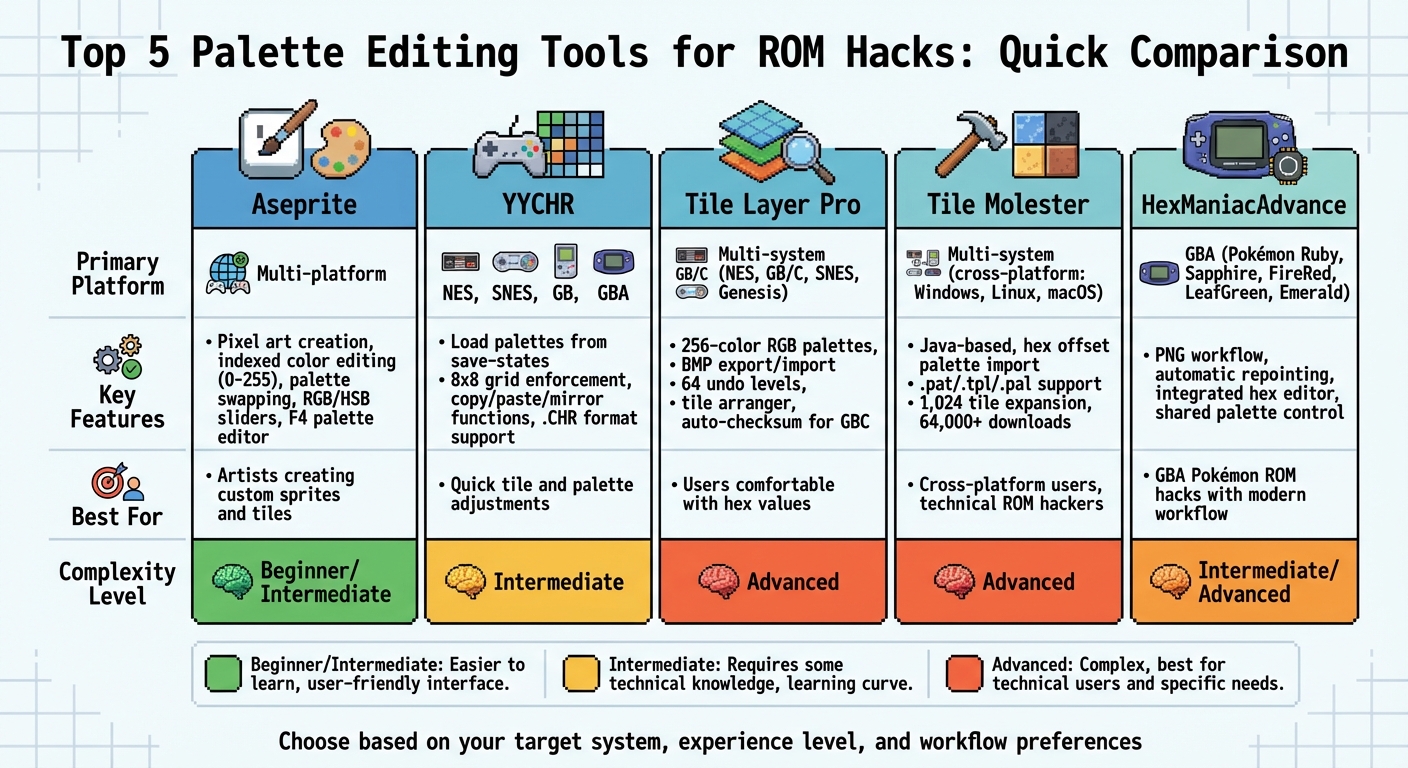
ROM Hacking Palette Editor Comparison: Features, Platforms & Complexity Levels
1. Aseprite
Palette Editing Capabilities
Aseprite's indexed mode assigns each palette color an index (ranging from 0 to 255), allowing you to modify a color and instantly update every pixel tied to that index. This makes it especially useful for tasks like testing palette swaps - such as creating alternate enemy color variations - without needing to redraw the sprite from scratch. The software provides precise RGB and HSB sliders to fine-tune colors, letting you input exact hex values. If you accidentally select a color outside the palette, Aseprite even alerts you. Pressing F4 opens the "Edit Palette" feature, where you can reorganize, add, or remove colors as needed.
Supported Systems and Formats
Aseprite supports indexed images with a maximum of 256 colors, adhering to the color limitations of classic 8-bit and 16-bit systems like the NES, SNES, and GBA. By sticking to a defined palette, it ensures that you don’t accidentally use colors that the original hardware wouldn’t be able to display. This makes Aseprite a practical tool for working within the constraints of retro gaming systems.
Use Cases in ROM Hacking
Aseprite fits seamlessly into ROM hacking workflows. One common method involves exporting palette data as an image (using tools like Super Palette Imager for SNES), editing it within Aseprite's indexed mode, and then re-importing it back into the ROM. This process takes advantage of Aseprite's intuitive interface while maintaining compatibility with the ROM's address structures and compression requirements.
2. YYCHR
Palette Editing Capabilities
YYCHR simplifies palette editing by loading level palettes directly from emulator save-states, ensuring it captures the exact in-game colors automatically. This precision helps maintain the authenticity of the visuals. The tool allows you to edit one palette at a time, sticking to hardware limitations and preventing any unintended color overlap. It also includes handy features like copy, paste, delete, and mirror for both graphics and palette data. However, as SnesLab warns:
YY-CHR allows you to edit practically everything in a game graphic-wise, thus there's so many ways you can mess up, so it's best to read the read-me before attempting to edit the graphics.
This functionality aligns well with workflows supported by other tools, such as Aseprite.
Supported Systems and Formats
YYCHR is a free tool that supports a range of systems, from the NES to the GBA. By default, it uses the .CHR format, which needs to be renamed to .bin for ROM insertion. It’s compatible with systems like NES, SNES, Genesis, PCE, Game Gear, WonderSwan/Color, Game Boy/Color, MSX 1+2, Neo Geo Pocket/Color, SMS, and GBA. The community often uses two versions - 0.98 and 0.99. While their functionality is the same, they cater to different user preferences with unique interfaces.
Use Cases in ROM Hacking
YYCHR is a staple in ROM hacking, particularly for graphic enhancements in community projects. Its streamlined interface, which enforces an 8x8 grid and single-palette constraints, makes it especially useful for managing raw graphics in NES projects. The ability to load palettes directly from save-states is a game-changer during graphical overhauls, ensuring that the colors you edit match exactly what players will see in the final game. This feature, combined with its ease of use, puts YYCHR on par with tools like Aseprite for seamless integration into ROM hacking workflows.
3. Tile Layer Pro
Palette Editing Capabilities
Tile Layer Pro (TLP) gives users the ability to create custom RGB palettes with up to 256 entries. It also comes with built-in palette support for NES, Game Boy Color, and SNES, letting you work within the color limitations of these classic systems right from the start. While TLP is mainly recognized as a tile editor, it also manages indexed colors with ease. Features like tile flipping (both horizontally and vertically), 90-degree rotation, and tile shifting provide flexibility for editing. Additionally, you can export and import BMP files, which makes external editing a breeze. The software even includes 64 levels of undo, giving you plenty of room to experiment without fear of losing progress. These features make TLP a powerful tool for working across various systems.
Supported Systems and Formats
TLP is compatible with a range of retro systems, including NES, Game Boy/Color, Virtual Boy, Neo Geo Pocket Color, SNES, Sega Master System, and Sega Genesis. It supports multiple bit-depths and formats, such as 1BPP, 3BPP, and 4BPP, and is tailored to handle SNES-specific graphics formats. A modified version of TLP also supports .bin files, broadening its range of use. Unlike its predecessor, Tile Layer, TLP operates seamlessly on modern Windows systems without requiring DirectX.
Use Cases in ROM Hacking
Thanks to its technical capabilities, TLP is perfect for handling large-scale edits, allowing users to work on over 256 tiles at once. Its Tile Arranger feature helps organize tiles into patterns, which is essential for creating detailed sprites and backgrounds. Tools like "goto offset" and zoom functions make navigation and precision editing straightforward. For Game Boy Color projects, its auto-checksum feature ensures ROM validity. ROM hackers often pair TLP with hex editors to pinpoint where graphical data is stored, making it an indispensable tool for consoles that lack game-specific editors.
4. Tile Molester
Palette Editing Capabilities
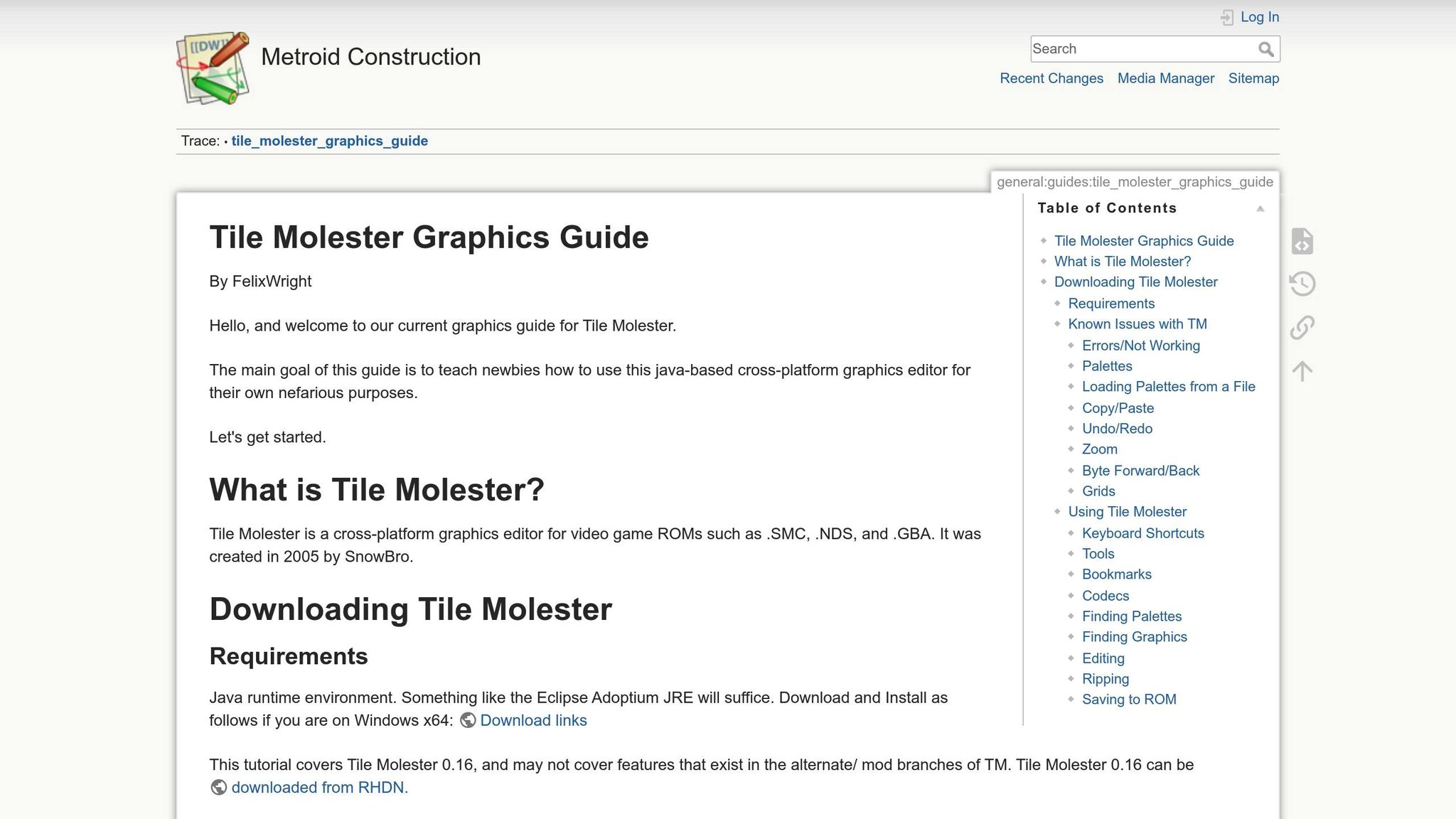
Tile Molester is a versatile graphics editor designed for working with arbitrary binary files, particularly ROMs. One of its standout features is the ability to import palettes directly from a file using a hexadecimal offset, allowing for precise palette integration. It supports a range of external palette file formats, including .pat, .tpl, and Windows Palette files (.pal), with the latter being reintroduced in the updated version 0.21, released in May 2024. This version also added direct color editing capabilities, making it easier to fine-tune colors. The Tile Molester Mod version goes a step further by including a palette shifter panel, which helps align colors accurately with tile data from the same file. These features make it a go-to tool for detailed ROM graphic edits, complementing the capabilities of more specialized palette editors.
Supported Systems and Formats
Tile Molester shines in its cross-platform functionality and extensive format support. Built in Java, it runs smoothly on Windows, Linux, and macOS, offering flexibility for users across different operating systems. It is particularly tailored for console binaries, with strong compatibility for formats like Nintendo DS (.nds), Sega Genesis/Mega Drive/32x (.smd, .bin), and various 2bpp raw formats. Its configurability is another major advantage - you can tweak its settings to handle additional formats by modifying configuration files. The Tile Molester Mod has further expanded its capabilities by increasing the maximum tile expansion limit from 32 to 1,024 tiles, enabling users to add large-scale graphical updates to older games. With over 64,000 downloads on ROMHacking.net for the original version, it’s clear that this tool has earned a solid reputation among ROM hackers.
Use Cases in ROM Hacking
Tile Molester’s combination of editing power and compatibility makes it an essential tool for ROM hackers. It’s often used as a "catch-all" editor for exploring and modifying graphics in files that lack dedicated tools. The ability to work with arbitrary binary files is especially helpful for uncovering uncompressed graphics and palettes by experimenting with different codecs and bit depths. The undo and redo functions ensure that complex edits can be made without fear of losing progress. As Raccoon Sam, a reviewer on ROMHacking.net, described it, Tile Molester is a "god tier graphics editor", earning a perfect 5/5 rating despite minor saving issues in some versions. The support for up to 1,024 tiles makes it particularly valuable for ambitious projects that push the boundaries of the original game’s graphics, cementing its status as a trusted tool in the ROM hacking community.
sbb-itb-9a4764e
5. HexManiacAdvance
Palette Editing Capabilities
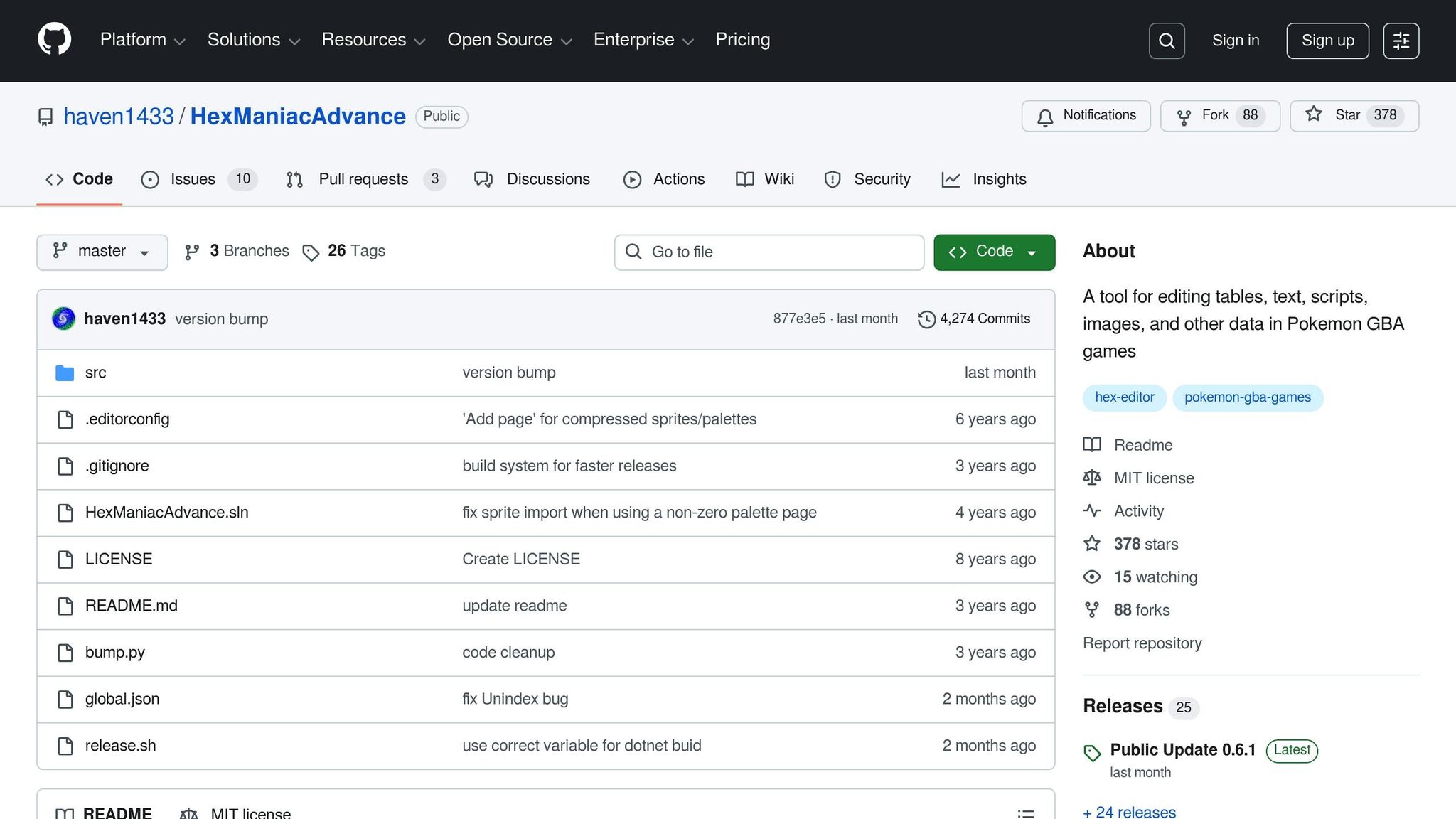
HexManiacAdvance (HMA) offers a streamlined and modern approach to palette editing by combining hex editing, scripting, and palette management into one cohesive tool. With HMA, you have complete control over shared palettes, ensuring that changes to one asset don’t unintentionally alter colors across others. Its PNG workflow allows you to export graphics, edit them externally, and then re-import them seamlessly. The tool also supports direct editing of images and tilemaps, treating tilemaps like regular sprites. This simplifies what used to be a tedious manual process, making it far more efficient for users working on GBA projects. These features highlight its strong focus on GBA-specific functionality.
Supported Systems and Formats
HexManiacAdvance is specifically designed for GBA ROM hacking and works flawlessly with the English versions of Pokémon Ruby (AXVE), Sapphire (AXPE), FireRed (BPRE), LeafGreen (BPGE), and Emerald (BPEE). It runs on Windows systems with .NET 6.0 installed. While optimized for these Pokémon games, it can also open other GBA files, functioning as an advanced hex editor with improved navigation features. Additionally, HMA supports PNG files for importing and exporting graphics and can generate and apply .ips and .ups patch files.
Use Cases in ROM Hacking
HexManiacAdvance is a standout tool for graphical updates in GBA Pokémon ROM hacks. It enables editing of various in-game assets, including title screens, menus, town maps, trainer sprites, Pokémon icons, item graphics, overworld characters, and type icons. The tool automatically repoints data when newly added assets exceed the original memory allocation, significantly reducing the chance of ROM corruption.
"HexManiacAdvance is now a must-have binary hacking tool. It does what all the old tools did but better and safer, essentially being an all-in-one toolkit."
– Asith, Pokémon GBA ROM Hacker
How to Mod/Change GBA Color Palettes
Tool Comparison Table
Choosing the right palette editor depends on your experience level, the system you’re targeting, and your specific workflow. Some tools prioritize ease of use with simple interfaces, while others cater to advanced users with features like compression handling and batch processing. Below is a breakdown of how these tools stack up across key factors.
| Tool | Primary Platform | Key Features | Best For | Complexity Level |
|---|---|---|---|---|
| Aseprite | Multi-platform | Pixel art creation, animation, color ramp generation | Artists creating custom sprites and tiles | Beginner/Intermediate |
| YYCHR | NES, SNES, GB, GBA | Tile viewing, direct ROM editing, multiple format support | Quick tile and palette adjustments | Intermediate |
| Tile Layer Pro | Multi-system | Hex-based editing, tile arrangement, palette modification | Users comfortable with hex values | Advanced |
| Tile Molester | Multi-system | Java-based, codec support, custom palette formats | Cross-platform users, technical ROM hackers | Advanced |
| HexManiacAdvance | GBA (Pokémon) | PNG workflow, automatic repointing, integrated hex editor | GBA Pokémon ROM hacks with modern workflow | Intermediate/Advanced |
This table summarizes the tools and their features, helping you decide based on your needs. The tool you pick significantly impacts your creative process, especially in ROM hacking, where system compatibility is a key factor. For instance, while Aseprite and Tile Molester work across multiple platforms, HexManiacAdvance is tailored specifically for GBA Pokémon games like Ruby, Sapphire, FireRed, LeafGreen, and Emerald.
If you’re a beginner, tools with visual interfaces or image-based workflows can make the learning curve less steep. Aseprite’s user-friendly interface and HexManiacAdvance’s PNG workflow are great starting points for palette editing. On the other hand, advanced users might prefer tools like Tile Layer Pro and Tile Molester, which provide direct ROM editing and support for custom formats. HexManiacAdvance offers a middle ground, combining a modern interface with advanced features like automatic repointing and full control over palette data.
Ultimately, the comparisons above show how each tool caters to different ROM hacking workflows, ensuring there’s something for everyone.
Conclusion
When it comes to ROM hacking, each tool has its strengths. Aseprite is perfect for creating pixel art with ease. YYCHR simplifies tile and palette adjustments. Tile Layer Pro offers a detailed, hex-level editing experience. Tile Molester stands out for its cross-platform compatibility and versatility. And HexManiacAdvance is a go-to for GBA projects, thanks to its PNG workflow and automatic repointing features. These tools cater to a variety of needs, helping you match your choice to the specific goals of your ROM hack.
The right tool often depends on your experience and the console you're working with. Beginners might gravitate toward user-friendly options like Aseprite or HexManiacAdvance, while seasoned ROM hackers may prefer the granular control offered by Tile Layer Pro or Tile Molester. Trying out different tools can help you discover the workflow that suits you best.
One critical aspect of ROM hacking is precise palette management. Proper handling of colors ensures that your graphics blend seamlessly with the original game, avoiding mismatched or awkward visuals. Projects like Ninja Gaiden Shadow DX and TMNT: Tournament Fighters GRANDMASTERS Edition are great examples of how meticulous palette editing can preserve a game's authentic look while integrating fresh content.
This attention to detail is equally important in creating custom game cartridges. For instance, BJ's Game Vault specializes in crafting custom cartridges and rare ROM hacks for consoles like the NES, SNES, Sega Genesis, N64, and GBA. Their work highlights how professional palette management can enhance physical reproductions, delivering a retro gaming experience that feels just right. Whether you're fixing bugs, restoring colors, or designing entirely new visual styles, these five tools provide the foundation you need to bring your ROM hacking projects to life - both digitally and in physical form.
FAQs
What’s the best palette editing tool for my ROM hack?
Choosing the right palette editing tool boils down to understanding your project’s specific needs, including the console you’re targeting and the features you’ll rely on. Start by pinpointing the console you’re working with - whether it’s the NES, SNES, GBA, or Game Boy Color - since many tools are designed to cater to specific systems. If your project spans multiple systems, tools like PalEdit or Super Palette Imager are excellent choices. They support a variety of formats and come with advanced color editing features.
For tasks that involve fine-tuning colors, creating gradients, or managing detailed color schemes, look for tools with robust editing capabilities. Developers working on homebrew projects will appreciate tools that can export directly into source code formats, simplifying the integration process. Testing the tool’s compatibility with your ROM and workflow is also crucial to avoid unnecessary hiccups.
If your project focuses on a single system, stick to console-specific editors for efficiency. However, for cross-system or more intricate requirements, versatile options like PalEdit can handle the job with ease. Choosing a tool that aligns with your project’s goals will not only save you time but also make the palette editing process much smoother.
What makes Aseprite a great tool for editing palettes in retro games?
Aseprite stands out as a fantastic tool for editing retro game palettes, thanks to its user-friendly interface and range of features. It includes a visual color bar with indexed slots, making color management and adjustments straightforward. You can easily swap between foreground and background colors, resize palettes, and make changes effortlessly using drag-and-drop or copy-paste options.
Additionally, Aseprite supports alpha channels, a color wheel, and shading tools, giving you the precision needed to achieve that retro look. Whether you're tweaking a single color or revamping an entire palette, Aseprite's features make the editing process smooth and perfectly suited for retro game design.
Is Tile Molester compatible with different operating systems for ROM hacking?
Tile Molester is a Java-based graphics editor that works seamlessly across various operating systems, including Windows, macOS, and Linux. If your system supports Java, you can use this tool to edit graphics for your ROM hacking projects.
Its ability to run on multiple platforms has made it a favorite among retro gaming fans who want to tweak or improve game visuals.