


Ultimate Guide to ROM Text Editing
ROM text editing lets you modify in-game text for retro games, offering opportunities to translate, rewrite, or customize classic titles. Whether you're translating a Japanese-exclusive game or adding personal touches, this guide explains the basics, tools, and advanced techniques needed to edit game ROMs effectively.
Key Takeaways:
- What is ROM Text Editing?: It's the process of modifying text in game ROM files, covering dialogue, menus, and system messages.
- Why It’s Popular: Fans use it for translations, custom mods, and even creating physical cartridges for retro consoles.
- Tools You’ll Need: Hex editors, table editors, and platform-specific tools like Hex Maniac Advance.
- Challenges: Includes understanding custom encoding, pointers, and handling compressed text.
- Advanced Techniques: Repointing text, managing space limits, and testing on real hardware.
This guide walks you through essential steps, from learning hexadecimal basics to creating physical cartridges of your ROM edits. Dive in to bring your favorite retro games to life with custom text edits!
Hex Maniac Advance | Advanced Tutorial #2 | Text Editing
How Text is Stored in ROMs
Retro games use custom encoding systems to store text, prioritizing space efficiency over modern standards like Unicode or ASCII. These systems were tailored to make the most of limited ROM space on platforms such as the NES, SNES, Sega Genesis, N64, and GBA. The methods for encoding, organizing, and referencing text differ not only between consoles but also between individual games on the same platform.
Text is stored as hexadecimal values, with each byte (e.g., 0x41) corresponding to a character. However, the meaning of a hex value varies between games due to custom mappings. The game’s engine interprets these hex values and converts them into visible text using the built-in font graphics. This is why understanding the specific encoding system of a ROM is essential for editing or modifying its text.
Fixed-Width vs. Variable-Width Encodings
When it comes to text storage in ROMs, there are two main types of character encodings: fixed-width and variable-width.
- Fixed-width encoding assigns the same number of bytes to every character, usually one byte per character. This makes text storage straightforward - if you know where a string starts, you can calculate its length by counting bytes. For ROM hackers, this predictability is invaluable, as it allows text replacement without risking data corruption, provided the new text stays within the original byte allocation. Fixed-width encoding is common on systems like the NES, SNES, and GBA, though it often requires careful wording to fit within strict byte limits, especially when translating text.
- Variable-width encoding uses a different number of bytes for different characters. For example, some characters might need one byte, while others require two or three. This saves space, which was critical given the memory constraints of early cartridges. However, variable-width encoding complicates editing because you must account for varying byte lengths when modifying text. Expanding a text string often requires repointing, as text boundaries are less predictable. For beginners, fixed-width encoding is easier to work with, making it a better starting point for learning ROM text editing.
Character Tables (TBL Files) and Control Codes
To convert hexadecimal values into readable text, ROM hackers use table files (TBL files). These simple text files map specific hex values to their corresponding characters. For instance, a TBL file might define 0x41 as "A", 0x42 as "B", and so on. When loaded into a hex editor, the TBL file makes the ROM’s hex data readable, helping you locate and edit text more efficiently.
Finding or creating the correct TBL file is crucial. Some games have well-documented TBL files available in ROM hacking communities, but for others, you may need to reverse-engineer the mappings by comparing in-game text to the hex values in the ROM. Once you have a TBL file, naming it to match the ROM file ensures that compatible hex editors, like Hexposure or Thingy, automatically load the character mappings.
In addition to regular characters, TBL files often include control codes - special hex values that trigger formatting or actions rather than displaying text. These codes manage things like line breaks, text pauses, color changes, or inserting variables like the player’s name. For example, a control code might look like {ts:135} to control text timing. In a hex editor, control codes are usually marked with special symbols (like curly braces) to distinguish them from regular text. Misplacing or deleting control codes can disrupt text formatting or even crash the game, so preserving them during edits is critical.
Pointers and Text Banks
While TBL files help you decode and edit text, pointers are what tell the game where to find that text. Pointers are hexadecimal addresses stored in the ROM that direct the game engine to the memory location of specific text strings. When the game needs to display text, it reads the pointer, converts it into a memory address, and retrieves the text from that location.
Pointers are typically stored in little-endian format, meaning the bytes are reversed (e.g., 0x12345678 is stored as 78 56 34 12). If you move text to a new location in the ROM, you must update the corresponding pointers to reflect the new address. Otherwise, the game will display corrupted or missing text. Modern hex editors like Hex Maniac Advance can automate pointer searches, but understanding how pointers work helps troubleshoot issues when automation fails.
ROMs also organize text into text banks, which are memory segments grouping related text strings. For example, dialogue for one character might be stored in one bank, while menu text resides in another. Different platforms handle text banking in unique ways: the NES uses fixed memory banks, the SNES employs larger, more flexible banks, and the GBA uses continuous memory addressing. Editing text within a bank without updating pointers can lead to errors, as the game might pull text from the wrong location.
Some games compress text to save space, adding another layer of complexity. Compressed text cannot be edited directly in a hex editor because modifying it disrupts the decompression process, making the text unreadable in-game. For example, EarthBound used compression, which made text editing challenging until tools like CCScript were developed to handle it. Identifying compressed text involves comparing the hex data to the in-game text - if they don’t match, compression is likely in use.
Challenges and Limitations
Retro platforms have hardware-imposed character set limitations. For instance, the NES typically supports 128 to 256 characters, while the SNES and Genesis allow for larger sets with multiple fonts. Adding new characters not present in the original set requires modifying the font graphics and updating the TBL file to map new hex values to those characters. If the original game lacks lowercase letters or special punctuation, you’ll need to create new font tiles and adjust the character mapping.
One common pitfall is exceeding the allocated byte space for a text string, which can overwrite adjacent data and corrupt the ROM. This is especially problematic when translating from languages with compact character representations to English. Another frequent mistake is failing to update pointers after moving text, causing the game to display incorrect or garbled text. Always stick to the original byte limits when editing fixed-width text, and back up the ROM before making changes. Testing your edits in an emulator helps catch issues that might not be immediately visible in a hex editor.
Tools and Workflows for ROM Text Editing
Once you’ve got a handle on how ROM text is stored and encoded, the right tools and an organized workflow can make the editing process much smoother. A good workflow not only saves time but also helps prevent data corruption. The tools mentioned here are free, beginner-friendly, and work on standard Windows PCs.
Key Tools for ROM Text Editing
Hex Editors:
Hex editors are essential for ROM text editing. They let you access every byte in the ROM, making it possible to locate text strings, inspect pointers, and make precise changes. A popular choice is HxD, a lightweight and free hex editor for Windows.
Table Editors:
Table editors are great for creating and managing TBL files, which map character sets to their corresponding hex values. While you could technically make TBL files in any text editor, dedicated table editors provide a user-friendly interface for testing character mappings and exporting them in the correct format. This is especially useful when reverse-engineering a game’s character set.
Script Dump and Reinsertion Tools:
These tools are a lifesaver for larger projects. They automate the process of extracting text from a ROM, editing it in a more accessible format, and reinserting it with updated pointers. By defining the ROM's text structure in a configuration file, these tools handle bulk processing, saving you from the tedious task of editing strings one by one.
Platform-Specific Editors:
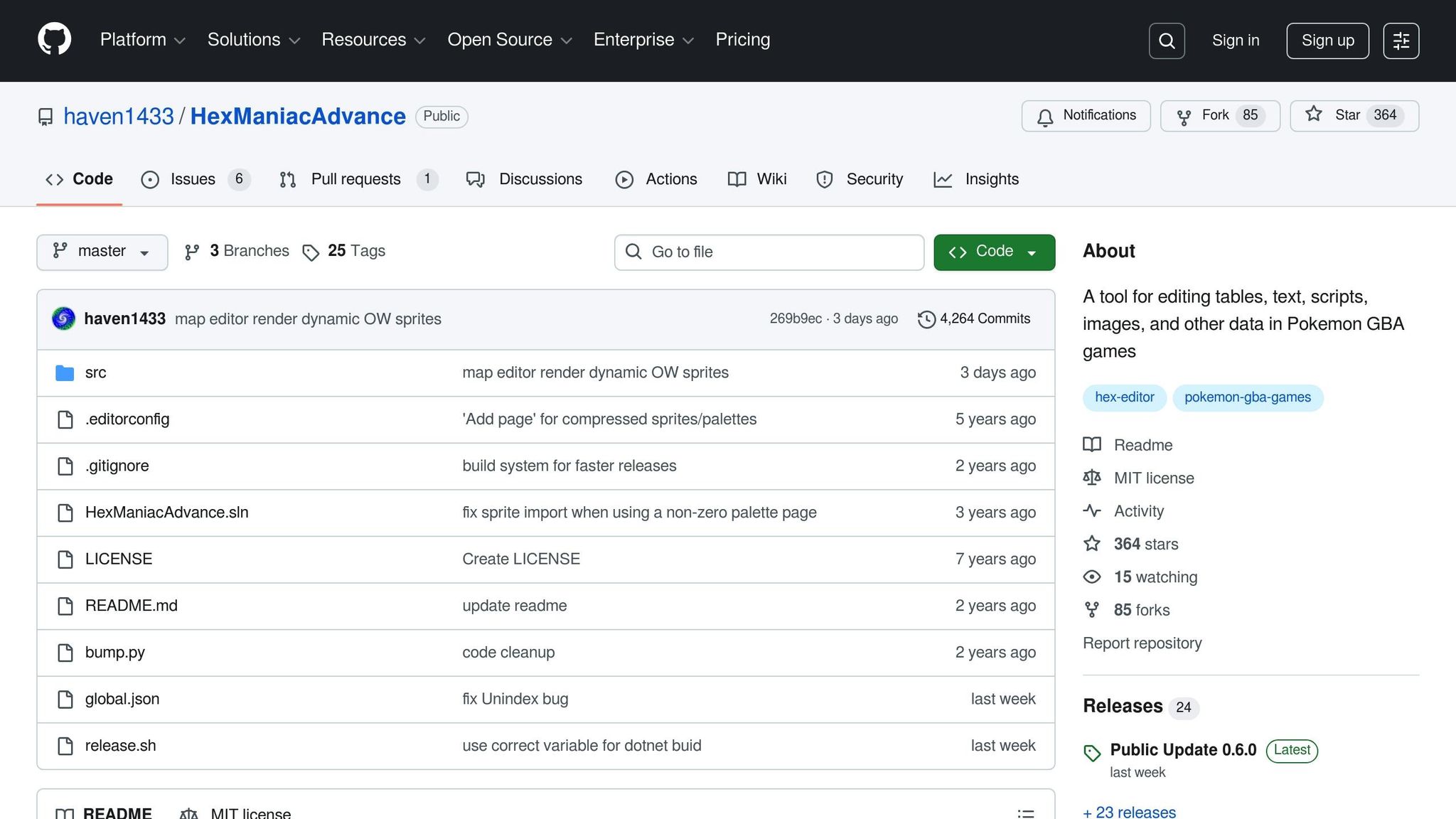
Some editors are tailored for specific games or systems. For instance, Hex Maniac Advance is designed for editing text, scripts, and pointers in Game Boy Advance Pokémon ROMs. Similarly, specialized tools exist for games like EarthBound, which use compressed text formats or complex control codes. These tools simplify the process for beginners by reducing the chances of errors and making edits more intuitive.
For beginners, it's often recommended to start with a basic hex editor to understand text structure before moving on to more specialized tools.
Basic ROM Editing Workflow
Here’s a simple step-by-step guide to get you started with editing ROM text:
-
Backup Your ROM:
Always begin by creating a backup of your original ROM file. Keep incremental backups (e.g., "game_v1.rom", "game_v2.rom") so you can easily revert to an earlier version if something goes wrong. -
Understand the Game’s Text Encoding System:
Look for an existing TBL file and rename it to match your ROM (e.g., "example.tbl" to "game.tbl"). This allows your hex editor to display the text in a readable format. If no TBL file exists, you may need to reverse-engineer the character mappings by comparing in-game text with the hex values in the ROM. -
Locate and Edit Text:
Open the ROM in your hex editor and search for a specific word or phrase from the game. Once you find the text string, note its address and check for any control codes nearby. Replace the text with your new content, ensuring it uses the same or fewer bytes. If there’s extra space, fill it with the game’s terminator byte to avoid unintended issues. -
Test Your Changes:
Save the edited ROM and load it into an emulator like mGBA for GBA games or Snes9x for SNES games. Check that your changes display correctly and that the control codes still function as expected. If something doesn’t work, revert to your backup and troubleshoot. -
Refine and Repeat:
Continue editing, saving, and testing in cycles. For larger projects, leveraging script dump and reinsertion tools can save significant time by automating text edits and pointer updates.
Choosing Between Hex Editors and Text Editors
The tool you use depends on the complexity of your project:
-
Hex Editors:
Ideal for low-level edits like modifying bytes, pointers, and control codes, especially when no specialized tools exist for the game you’re working on. -
Script and Platform-Specific Editors:
Best for handling bulk text edits and automated pointer updates. These tools let you work with plain-language files or graphical interfaces, simplifying tasks like encoding and managing control codes. For example, editing dialogue in a GBA Pokémon ROM with Hex Maniac Advance is much easier than manually tweaking every detail in a hex editor.
Most ROM hackers use a combination of both approaches - starting with a hex editor to explore and troubleshoot data, then switching to specialized tools for more extensive edits.
With these tools and workflows, you’re ready to dive deeper into advanced text editing techniques and take your ROM hacks to the next level.
Want to showcase your ROM hacks? Check out BJ's Game Vault (https://bjsgamevault.com) for custom reproduction cartridges and retro gaming accessories!
sbb-itb-9a4764e
Advanced ROM Text Editing Techniques
When basic text edits aren't enough - like when you're dealing with expanded translations or adding new dialogue - advanced ROM text editing steps in. These techniques build on earlier methods, tackling challenges like limited space and compressed data.
Repointing Text and Expanding Scripts
Repointing is all about redirecting where the game looks for text in its memory. This becomes crucial when your new dialogue or translations don't fit in the original allocated space. For example, English sentences often take up more room than their Japanese counterparts, or you might need extra space for added tutorials or accessibility features.
Here’s how to approach it:
- Backup First: Start by saving a copy of your ROM.
- Locate the Original Data: Identify the text string and its pointer.
- Find Free Space: Search for unused or expandable memory to place your new text. Be careful not to overwrite existing code or graphics, which could corrupt the ROM.
- Recalculate Pointers: Update the pointer values to direct the game to the new text location.
- Test As You Go: Use an emulator to check your edits immediately after making changes.
To keep things organized, document every pointer change you make. This is especially important for larger projects where text might be referenced in multiple locations. If you miss updating even one pointer, it could cause crashes or display errors. Use your hex editor’s search function to find all instances of the original address and ensure every reference is updated.
Working with Compressed Text Data
Many ROMs use compression to save space, which complicates text editing. You can't just replace text byte-for-byte; first, you need to understand how the game handles decompression.
If there’s no documentation for the compression format, you’ll need to reverse-engineer it. Start by capturing in-game text using an emulator’s debugging tools. Look at where the text originates in memory, then study the surrounding bytes to figure out patterns, control codes, or special tokens.
To experiment, create a small test environment. Use a scripting language to decompress and recompress text samples. Begin with short phrases and work your way up to longer dialogue. Keep detailed notes about what works, including any terminator bytes or size constraints.
When space is tight, you might need to get creative. Consider using abbreviations, shorter synonyms, or restructuring sentences to fit within the limits. For larger projects, many hackers write and edit scripts in plain text files, which are later compiled into the ROM. This approach makes editing and proofreading easier, especially when dealing with hundreds or thousands of lines. Tools like version control systems and changelogs can help track changes and ensure consistency across the entire script.
Once you’ve figured out the compression format, you can start making edits systematically, always testing for glitches along the way.
Debugging and Testing Your Edits
Advanced edits often introduce new challenges - crashes, garbled text, or missing lines are common issues. A structured debugging process can help you identify and fix these problems.
Start by reproducing the issue. If a crash happens sporadically, figure out the exact conditions that trigger it, whether it’s a specific dialogue choice, menu selection, or in-game event. Once you can replicate the problem, use emulator debugging tools like breakpoints and memory viewers to trace the issue back to its source. Compare the problematic section with a clean ROM backup to identify differences in pointers, control codes, or script boundaries.
Testing is key. Run through all modified dialogue paths and menus on multiple emulators to catch timing issues, line-wrapping problems, or crashes. Physical hardware testing is just as important, especially if your hack is intended for use on custom cartridges. Some issues - like slow text rendering or save memory problems - might only appear on real consoles.
For U.S. players, ensure your text uses clear American English, adheres to NTSC timing, and maintains the original game’s save behavior. If you’re planning to release your hack on custom cartridges, like those offered by BJ's Game Vault (https://bjsgamevault.com), hardware compatibility is non-negotiable. Double-check ROM headers, checksums, and ensure your edits stay within the hardware’s limits for text speed, VRAM usage, and frame updates.
Creating Physical Cartridges from ROM Text Edits
Once you've polished your ROM text edit - whether it’s a translation, a script overhaul, or fine-tuned dialogue - you might want to take it beyond an emulator and turn it into a physical cartridge. Playing your modified game on original hardware offers an authentic retro experience. For collectors and enthusiasts in the United States, custom cartridges also provide a tangible way to showcase your work alongside classic titles.
Custom Cartridges for Retro Consoles
After completing your ROM text edit, the next step is transforming it into a physical cartridge. Start by finalizing and thoroughly testing your ROM file to ensure everything, from pointers to control codes, works as intended. Then, create a patch file - usually in IPS or BPS format - that documents your changes relative to a clean base ROM. This patch is what you’ll use to recreate your hack on compatible hardware or share with others.
To create the cartridge itself, your ROM image needs to be written onto a compatible flash board or PCB designed for your console of choice. For systems like the NES, SNES, Sega Genesis, N64, or GBA, this often involves using donor or reproduction boards, which are then assembled into a cartridge complete with a label. Many hobbyists opt for flash cartridges, such as EverDrive or FXPak models, which let you load multiple ROM hacks from an SD card. These are especially handy during development since they allow for easy updates without permanently modifying a board.
If you’re looking for a more polished, permanent solution, specialized retro gaming shops can handle the technical aspects for you. For example, BJ's Game Vault (https://bjsgamevault.com) offers custom cartridge services for various systems, including NES, SNES, Sega Genesis, N64, and GBA. They’ll flash your patched ROM onto a compatible board, assemble it into a labeled cartridge, and test it to ensure it works on original hardware. They can also provide reproduction shells, labels, and accessories, making the finished product feel like a retail-quality release.
When submitting your ROM text edit for cartridge production, follow these best practices:
- Finalize your script and remove any debug content.
- Ensure the ROM passes checksum or header validation, if applicable.
- Include documentation with details like patch version, target console, board type, and any known limitations.
- Provide specifics such as SRAM requirements, save type, and screenshots of text-heavy scenes to help the service select proper hardware and test thoroughly.
The cost of custom cartridges ranges from $20 to $60 USD per unit, depending on complexity, packaging, and the rarity of the base game. Specialty boards supporting enhancement chips or larger ROM sizes can increase the price. Flash carts, which are more versatile and reusable, typically cost between $100 and $200 USD but are ideal for testing multiple projects before committing to a permanent cartridge.
Building Your Retro Gaming Collection
Once your custom cartridge is complete, it can take pride of place in your retro game collection. These cartridges let you bring fan translations, script restorations, or humor-filled hacks to life on original hardware. For U.S. collectors who enjoy physical media, labeled or boxed custom cartridges make it easy to organize games by console, genre, or theme. Text-driven hacks, like RPG translations or dialogue overhauls, often become standout pieces that highlight the creativity of the ROM hacking community.
Organizing your collection can be as simple or detailed as you like. Some collectors use custom cases, printed inserts, or catalog spreadsheets to track each hack’s name, version, and patch source. This kind of documentation is especially helpful if you plan to lend cartridges or revisit older projects after updates.
Recently, fan projects have begun receiving “collector’s edition” style releases, complete with boxes, manuals, and extras. These editions blur the line between ROM hacks and boutique indie releases. English translations of Japan-only RPGs, for example, have become highly sought-after collector’s items after limited cartridge runs. This growing trend reflects the increasing demand for high-quality, text-edited cartridges that bring previously inaccessible games to life on retro hardware.
It’s worth noting the legal and ethical considerations involved. In many countries, including the United States, selling unauthorized copies of copyrighted games is restricted. To stay on the right side of the law, most ROM hacking communities emphasize distributing patches only - not full ROMs. This ensures that users must supply their own legally obtained ROM images when commissioning physical cartridges.
Testing Hacks on Physical Hardware
While emulators are great for initial testing, they don’t always reveal hardware-specific issues. A ROM that seems stable on a PC may encounter text glitches, crashes, or save errors when played on a cartridge. Testing on real hardware is essential to confirm that text boxes fit properly on-screen, fonts remain legible on CRTs, and events or endgame sequences aren’t disrupted by pointer or space issues introduced during editing.
To avoid surprises, test your patched ROM in multiple emulators and on at least one flash cart before creating a physical cartridge. This helps identify any crashes, softlocks, or save corruption caused by your edits. If issues arise, adjust pointers, shorten lines, or tweak fonts until the game runs smoothly through multiple full playthroughs on the actual console.
BJ’s Game Vault adds an extra layer of assurance by retro-testing each custom cartridge on authentic hardware. Their “Retro-tested, satisfaction guaranteed” promise ensures that your text edits display correctly and that the cartridge boots reliably. For U.S. buyers investing in custom cartridges, this rigorous testing reduces the risk of receiving a flawed product and ensures a smooth gaming experience.
When planning a physical release, design your text edits with hardware constraints in mind - such as available ROM space, save RAM size, and font readability on CRT displays. Budget for both the custom hardware and optional extras like printed boxes or manuals. It’s also a good idea to order a single prototype cartridge before committing to a larger production run. Keep a clear versioning system for your ROM edits so you can reproduce the exact build burned to a cartridge if updates or bug fixes are needed. Use widely accepted patch formats like IPS or BPS, and document the clean ROM version required for your hack to ensure accurate reproduction.
For U.S.-based collectors, NTSC-compatible boards and shells, standard 60 Hz operation, and region-specific labels are often top priorities. These details ensure your custom cartridges integrate seamlessly into your North American collection.
Conclusion
ROM text editing is a cornerstone of preserving and reimagining retro games. Whether you’re translating a Japan-exclusive RPG or tweaking dialogue, the techniques outlined here help ensure your edits are stable and effective.
Keep in mind the importance of respecting original byte limits and pointer structures. Start with small changes, back up your work diligently, and test often. Mistakes are part of the process, and with careful documentation and methodical effort, they become stepping stones to mastery. Always work from clean backups, use checksums, and distribute your work through patch formats like IPS or BPS - never full ROMs. Testing your edits across multiple emulators before moving to physical hardware is essential to ensure compatibility.
The Role of ROM Text Editing in Retro Gaming
ROM text editing goes beyond technical tweaks - it breathes new life into classic games. From fan translations to quality-of-life improvements, these edits ensure that older titles remain accessible and enjoyable. Games that were never officially localized can now reach new audiences, while updates like uncensored scripts, bug fixes, and modernized language make them feel fresh without losing their original charm.
But it doesn’t stop at preservation. ROM text editing sparks creativity, enabling custom stories, memes, and even total conversions that transform classic game engines into entirely new experiences. These projects also serve as a record of technical knowledge - covering encodings, control codes, and pointers - that might otherwise fade as aging hardware becomes less understood. For example, Romhacking.net showcases over 2,000 translation projects and countless other hacks, highlighting a thriving community dedicated to preserving both games and the expertise needed to modify them.
Sharing your work through forums, Discord servers, and online archives strengthens the ROM hacking community. Collaborative efforts, like the PokéCommunity's "ROM Hacking: Getting Started" thread, show how experienced hackers mentor newcomers while pushing the boundaries of what’s possible.
For many enthusiasts, the journey doesn’t end with digital edits. Once a hack is stable in emulators, it can be written to flash carts or custom cartridges, allowing fans to play on original hardware. For U.S. collectors, these physical releases bring a sense of nostalgia and authenticity, turning creative projects into tangible pieces of retro gaming history.
Resources for ROM Hackers
As you dive deeper into ROM text editing, Romhacking.net remains an invaluable hub for tools, guides, and community support. Its "Getting Started" section emphasizes that tables and text editing are the foundation of translation work. The forums, tutorials, and patch archives provide the knowledge you’ll need to troubleshoot and share your projects. Meanwhile, Discord communities like Hex Maniac Advance and PokéCommunity offer real-time feedback and camaraderie.
When you're ready to take your digital creations to the next level, BJ's Game Vault (https://bjsgamevault.com) offers custom cartridge services for various systems, including NES, SNES, Sega Genesis, N64, and GBA. They can turn your finished translation or story hack into a physical cartridge, complete with retro-tested hardware and accessories, ensuring your work is playable on authentic consoles.
Whether you’re just starting or refining your skills, begin with a small project - like rewriting item descriptions in an NES or SNES game. This will help you practice working with tables, control codes, and pointer-safe edits. Use the tools and techniques discussed earlier to manage space limits and UI constraints, and don’t hesitate to join ROM hacking communities to share your progress and gather feedback. With dedication, patience, and the right resources, you’ll contribute to the enduring legacy of retro gaming while honing your craft.
FAQs
What are some common challenges in ROM text editing, and how can you solve them?
Editing text in ROMs can be a bit of a puzzle, thanks to challenges like limited text space, compressed data formats, and unsupported character sets. These hurdles can make adding new text or translating existing content feel like solving a complex riddle.
Here’s how you can tackle these common issues:
- Limited space: Look for tools that let you expand text or redirect it to unused sections of the ROM. This can free up room for your edits.
- Compressed data: Dive into decompressing and re-compressing data using specialized utilities or hacking tools. It takes effort, but it’s a crucial step.
- Unsupported characters: Adjust the font table or design custom fonts to include the characters you need for your project.
It takes patience and persistence to master these skills, but with time, they’ll feel more manageable. If you’re into retro gaming, platforms like BJ's Game Vault can provide helpful resources and spark ideas for your custom ROM projects.
How can I tell if a game uses compressed text, and what’s the best way to edit it?
To figure out if a game uses compressed text, start by opening the ROM file in a hex editor or debugging tool. If the text looks scrambled or unreadable, that's a strong sign it's compressed. Many older games relied on custom compression methods to conserve space, so pinpointing the exact algorithm is crucial.
Editing compressed text means diving deeper into the ROM. You'll need to track down the compression routine within the game's code, which usually requires some reverse engineering to understand how the text is stored and unpacked. Once you identify the method, you can either tweak the routine to accommodate your edits or use tools specifically designed to decompress and recompress text. For less common ROM hacks, resources like BJ's Game Vault can be a goldmine for finding tools or advice tailored to retro games.
What legal and ethical factors should I consider when creating and sharing custom ROM hacks?
When diving into custom ROM hacks, it's important to keep intellectual property laws in mind. Most ROMs are covered by copyright, which means distributing or sharing them without proper authorization can be illegal. A better approach? Create patches - like IPS or BPS files - that alter the original game without including any copyrighted content.
From an ethical standpoint, always give credit where it's due. Acknowledge the original developers and steer clear of using your hacks to make a profit off their work. By sharing your creations responsibly within the retro gaming community, you can contribute meaningfully while respecting the original creators and their rights.