


How to Create ROM Hack Patch Files
When you want to share your ROM hacks without distributing full game files (which is illegal), creating patch files is the solution. A patch file contains only the changes made to a game, allowing others to apply your modifications to their own legally obtained base ROMs. Here's a quick rundown:
- What are patch files? Files that hold game modifications without including the original game data.
- Why use them? They avoid copyright issues and are smaller in size for easier sharing.
- Common formats: IPS (older, limited to 16MB), UPS (handles larger files), and BPS (modern, efficient, with built-in validation).
- Tools to create patches: Use Lunar IPS for IPS files, NUPS for UPS files, or FLIPS for BPS files. Browser-based tools like ROM Patcher JS work on any device.
Steps to create a patch:
- Start with a clean base ROM and your modified ROM.
- Use tools like Lunar IPS, NUPS, or FLIPS to generate the patch.
- Test the patch on a fresh base ROM to ensure it works correctly.
- Package the patch with a readme file detailing the required ROM info (region, revision, hash values).
Key tip: Always share only the patch file, never the original ROM. This keeps the process legal and accessible for the retro gaming community.
For modern hacks, BPS is the preferred format due to its efficiency, unlimited size support, and error prevention features.
Tools You Need to Create Patch Files
Main Tools Overview
Now that we've gone over the purpose of ROM hack patches, let's dive into the tools you'll need to create them.
Each patch format requires specific software. For IPS files, Lunar IPS (or LIPS) is the standard choice on Windows. This lightweight tool has been downloaded more than 2.3 million times. Romhacking.net describes it as "intended as an easy-to-use, lightweight IPS patch utility for Windows to replace DOS programs".
For UPS files, NUPS (NUPS Patcher) is your best bet. It supports larger files than IPS and includes checksum validation tools to ensure you're working with the correct base ROM. If you're working with BPS files, go with FLIPS (Floating IPS). With over 219,000 downloads, FLIPS is noted for being more efficient than Lunar IPS and includes built-in validation to prevent patching the wrong ROM version. According to Romhacking.net, "Generated patches are (usually) (slightly) smaller", making it a solid choice for modern patching needs.
For those not using Windows, ROM Patcher JS is a great browser-based alternative. This tool works on macOS, Linux, and even mobile devices, supporting IPS, UPS, and BPS formats without requiring any installation. If you're just starting out, follow a beginner's ROM hack checklist to ensure your setup is correct. Plus, all these tools are completely free to download and use.
A Quick Tip: Keep in mind that IPS files have a 16 MB size limit due to their 24-bit addressing system. If your project exceeds that size, you'll need to switch to UPS or BPS. BPS is particularly efficient thanks to its delta-encoding, which reduces patch size by handling data relocation effectively.
sbb-itb-9a4764e
How To Create A Patch For Your Romhack
How to Create Patch Files
With the right tools in hand, you can generate patch files quickly and accurately by following these steps.
Creating IPS Patches with Lunar IPS
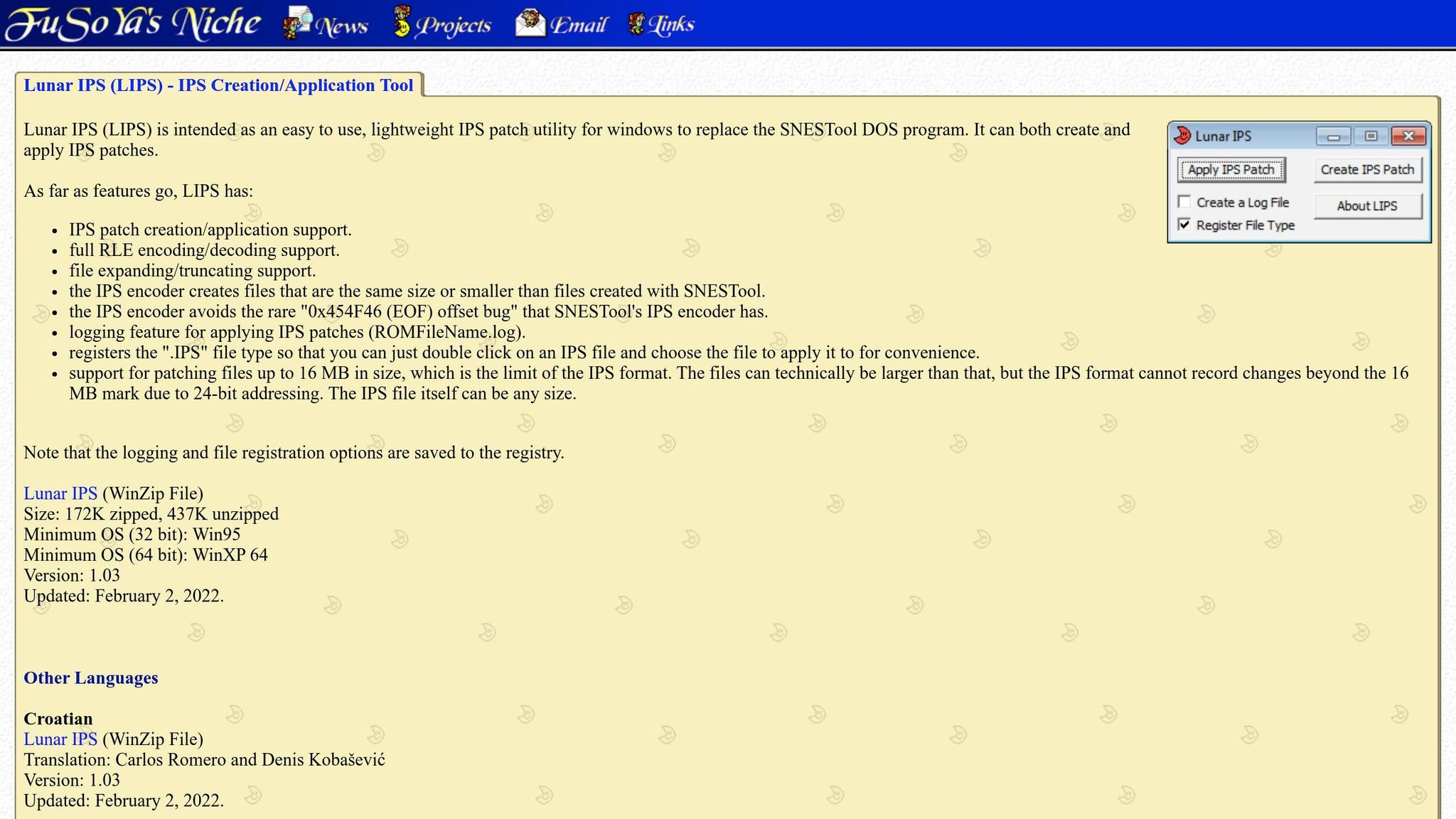
Start by opening Lunar IPS and selecting the "Create IPS Patch" option. The tool will first ask you to load the original, unmodified ROM - this is your clean base file. It's important to select this file first to prevent any corruption issues.
Next, load the ROM that contains your modifications or hacks. After both files are selected, pick a destination folder, name your new .ips file, and hit "Save."
For those who prefer automation, Lunar IPS supports command-line usage. Use the following syntax:
"Lunar IPS.exe" -CreateIPS "PatchFileName" "OriginalFileName" "ModifiedFileName"
Similarly, creating UPS patches involves a comparable process but adds CRC checksum validation for extra accuracy.
Creating UPS Patches with NUPS
The NUPS tool simplifies UPS patch creation while incorporating CRC checksum validation to ensure you're working with the correct files. Begin by opening NUPS and selecting the option to create a new patch. Load your base ROM (the unmodified file) and your hacked ROM (the file with your changes).
Once both files are loaded, the tool will automatically verify them using CRC checksums. After verification, choose a save location, give your .ups file a descriptive name, and save it. UPS patches are especially handy for projects that exceed the 16 MB size limit of the IPS format.
For even more efficiency, consider using FLIPS for creating BPS patches.
Creating BPS Patches with FLIPS
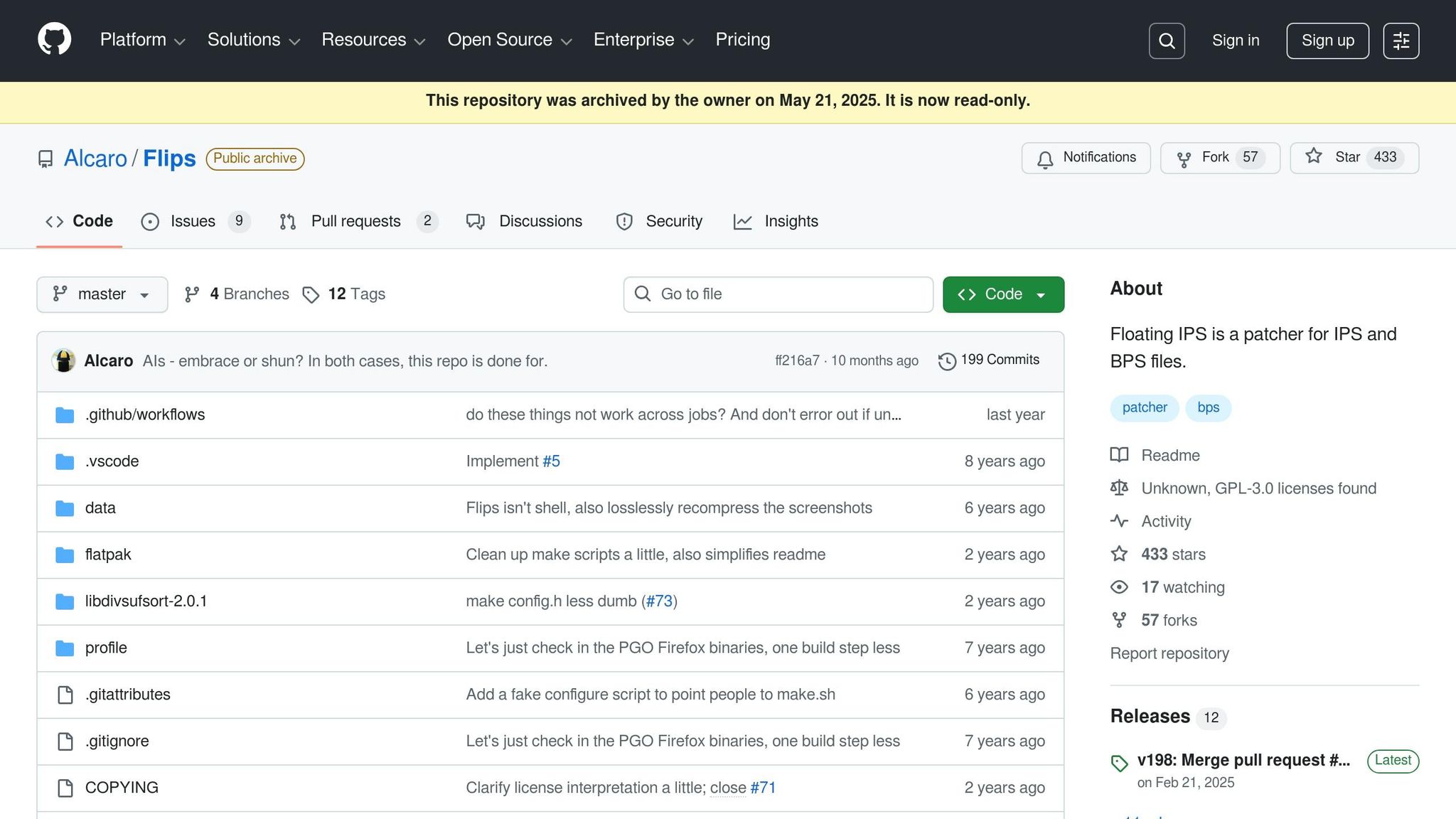
FLIPS offers a streamlined way to create BPS patches. Open FLIPS and select "Create Patch" from the main menu. First, load your base ROM (the original, unmodified file), then select your modified ROM with the applied changes.
Afterward, assign a filename and save the .bps file. If you prefer a command-line approach, use the following syntax:
flips --create rom.smc hack.smc patch.bps
Here, "rom.smc" is your base ROM, and "hack.smc" is the modified version.
BPS patches also include built-in checksum validation to ensure the correct base ROM is matched.
Always test your created patches by applying them to a fresh copy of the base ROM to verify they work as intended.
IPS vs UPS vs BPS: Which Format to Use
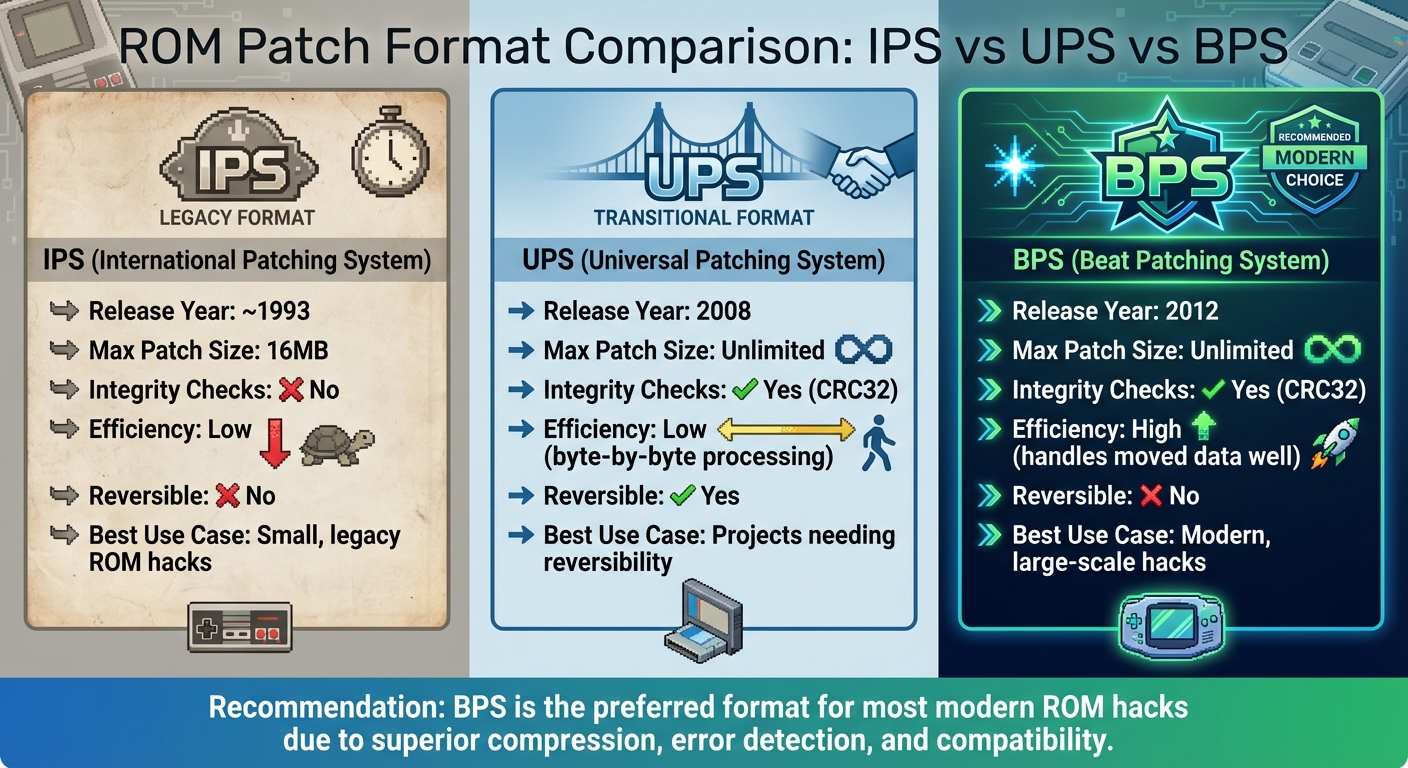
IPS vs UPS vs BPS ROM Patch Format Comparison Chart
Once you've mastered creating patch files, the next step is figuring out which format works best for your ROM hack. Your choice will depend on factors like project size and safety requirements.
IPS is the oldest format, dating back to around 1993. It's widely recognized and compatible with older tools, but it comes with some serious limitations. It lacks built-in integrity checks and caps out at a maximum patch size of 16MB. This makes IPS ideal for smaller, older ROM hacks where compatibility with legacy tools is a priority.
BPS, introduced in 2012, has become the modern standard for patching. It handles unlimited file sizes, uses CRC32 checksums to ensure patches are applied to the correct ROM, and is highly efficient at managing data that’s been moved or rearranged. As AEANET puts it, "BPS offers superior compression, error detection, and compatibility". For most new projects, BPS is the go-to option.
UPS, released in 2008, was designed to address IPS's limitations by removing size restrictions and adding checksums. However, its byte-by-byte processing makes it slower. A unique feature of UPS is its reversibility - you can use the same patch to both apply and undo changes. Despite this, BPS was specifically created to resolve UPS's performance issues while keeping its safety features intact.
Format Comparison
| Feature | IPS | UPS | BPS |
|---|---|---|---|
| Release Year | ~1993 | 2008 | 2012 |
| Max Patch Size | 16MB | Unlimited | Unlimited |
| Integrity Checks | No | Yes (CRC32) | Yes (CRC32) |
| Efficiency | Low | Low (byte-by-byte processing) | High (handles moved data well) |
| Reversible | No | Yes | No |
| Best Use Case | Small, legacy ROM hacks | Projects needing reversibility | Modern, large-scale hacks |
This table breaks down the strengths and weaknesses of each format, helping you decide which one fits your project. Keep in mind that IPS patches don’t verify compatibility, so applying them to the wrong ROM could cause corruption. On the other hand, both UPS and BPS use CRC32 checks to ensure patches are applied correctly. For most ROM hackers working on systems like NES, SNES, Genesis, or GBA, BPS strikes the best balance between safety, efficiency, and compatibility.
Testing and Sharing Your Patch Files
How to Test Your Patch Files
Before releasing your patch, test it thoroughly on a clean base ROM that matches the exact region and revision it was designed for. As the ConsoleMods Wiki explains, "The most common cause of failed ROM patching is that the game ROM is the wrong version of the game". This step ensures compatibility and prevents user frustration.
To confirm you're using the correct ROM, verify its hash value. Tools like ROM Patcher JS are convenient for testing since they run directly in your browser without needing installation. Alternatively, you can use tools tailored to specific patch formats, such as Lunar IPS, NUPS, or FLIPS, depending on your patch type.
Once the patch is applied, load the modified ROM into an emulator like mGBA, VBA-M, or RetroArch. If the emulator crashes or displays a black screen, it’s often due to a mismatch between the base ROM and the patch or a header-related issue. Romspedia notes, "A black screen indicates a wrong step in the patching process. Most commonly, you have the wrong compatibility between the patch file and the base ROM". Always back up your clean ROM before testing to avoid losing your original file. Once testing confirms everything works as intended, you can move on to packaging and distributing your patch.
How to Distribute Your Patch Files
After successful testing, package your patch in a way that’s both user-friendly and informative. A good practice is to create a ZIP archive containing your patch file and a detailed readme document. The readme should clearly outline the required base ROM specifications, including its region, revision, and whether it needs to be headered or unheadered. Adding the ROM’s CRC32, MD5, or SHA-1 hash is a great way to help users verify they have the correct file before applying the patch.
Name your files to reflect the hack’s name and version. If you’re offering additional options like a "Hard Mode" or alternate visuals, include them as separate patches within the same ZIP file. Be sure to provide clear instructions on how to apply these optional features and in what order.
Sharing Your ROM Hacks with the Community
Once your patch is ready, it’s time to share it with the retro gaming community. Platforms like ROMhacking.net are excellent for reaching a wide audience. You can also embed ROM Patcher JS on your personal website for convenient, browser-based patching. Another option is BJ's Game Vault (https://bjsgamevault.com), a platform dedicated to vintage game enthusiasts. It’s an ideal place to connect with players and collectors who enjoy custom gaming experiences on consoles like the NES, SNES, Sega Genesis, N64, and GBA.
One crucial rule to follow: only distribute the patch file itself, never the copyrighted ROM. By sharing just the patch, which contains only the differences between the original game and your modifications, you ensure legal compliance while making your work accessible to the community.
Conclusion
Creating ROM hack patch files starts with a clean base ROM and involves applying modifications using tools like Lunar IPS, FLIPS, or NUPS. Testing your patch thoroughly is essential to ensure compatibility. As retro tutorial author Filippo Dinolfo highlights:
One of the great things about retro gaming is the community's willingness to go back to older titles and make them better.
Once your patch works as intended, share it responsibly. Always distribute only the patch file, never the copyrighted ROM itself. Include a readme file detailing the required ROM specifications and hash values (CRC32, MD5, or SHA-1). This ensures legal compliance while making your work easy for others to use.
ROM hack patching combines technical skills with community collaboration. Platforms like BJ's Game Vault (https://bjsgamevault.com) showcase custom cartridges and ROM hack collections for systems like NES, SNES, Sega Genesis, N64, and GBA, providing inspiration for creators. Engaging with retro gaming communities not only strengthens your skills but also connects you with others who share your passion. Whether you're working on a translation patch or a fan-made ROM hacks, these groups are a great resource for learning and sharing.
FAQs
How do I know which base ROM version I need?
Before diving into a ROM hack, it’s crucial to check the instructions or documentation provided by the hack’s creator. These will specify the exact base ROM version you need, including details like the region (e.g., US, EU, JP) and version.
To ensure your ROM is compatible, use tools like RomPatcher to verify its hash values (CRC32, MD5, or SHA1). These hashes should match the specifications given by the patch author. Also, double-check that the ROM’s region, revision, and header align with the patch notes. Skipping these steps can lead to errors or even break the gameplay experience.
Why does my patched ROM boot to a black screen?
A black screen after patching a ROM can pop up for a variety of reasons. Some of the most common culprits? Using an incompatible or incorrect base ROM, a mismatch in the region or version, or even issues with the patch itself. To avoid this headache, double-check that you're applying the patch to the right unmodified base ROM. Also, ensure the patch aligns with the ROM’s region, version, and checksum for a smooth experience.
Should I use BPS, UPS, or IPS for my hack?
When deciding which patch format to use, it all comes down to your specific needs and the type of ROM hack you're working with:
- IPS: Best for older hacks, but it requires an exact match with the base ROM.
- BPS: Offers improved validation and efficiency, making it an excellent choice for newer hacks.
- UPS: Includes checksum validation and is very strict about the base ROM it applies to.
For most newer hacks, BPS is the go-to option, while IPS remains a solid choice for older projects.